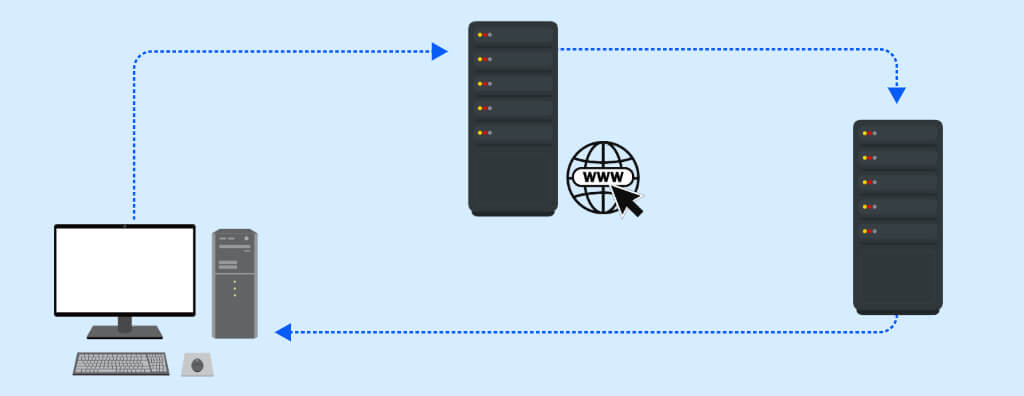
Understand how DNS translates domain names into IP addresses and supports the speed, scalability, and security of internet navigation.
Check it out!
The Domain Name System / Domain Name System (DNS) is an integral part of the Internet infrastructure that converts user-friendly domain names into numeric IP addresses.
This conversion facilitates the location of servers and websites on the Internet, making web browsing more efficient.
What is DNS?
The Domain Name System (DNS) is a fundamental infrastructure of the internet, operating seamlessly by mapping website names, entered by users in a search box, to the respective destination IP address.
Although it is possible to enter an IP address directly into a browser to access a website, it is generally preferred that an internet address consists of easily memorable words, known as domain names.
In the 1970s and early 80s, the task of mapping domain names and IP addresses was assigned to the Stanford Research Institute, which maintained a master list of all computers connected to the internet. With the rapid growth of the internet, this approach became unsustainable, and in 1983, Paul Mockapetris developed DNS, an automated and scalable system that handles the translation of domain names to IP addresses.
Today, there are over 342 million registered domains, making it impractical to maintain all these names in a single directory. Just like the internet itself, the directory is globally distributed across domain name servers that regularly communicate to provide updates and eliminate redundancies.
The creation of a distributed system also aimed to enhance performance. For example, imagine if all simultaneous requests worldwide to resolve the domain name Google with the underlying IP address were handled in a single location. To solve this problem, DNS information is shared among multiple servers.
This means that a single domain can have more than one IP address. For example, the physical server that your laptop or smartphone reaches when typing www.google.com is different from the server that someone in another country would reach by typing the same website name in their browser. However, DNS still directs you to the correct location, regardless of where you are in the world.
How Does DNS Work?
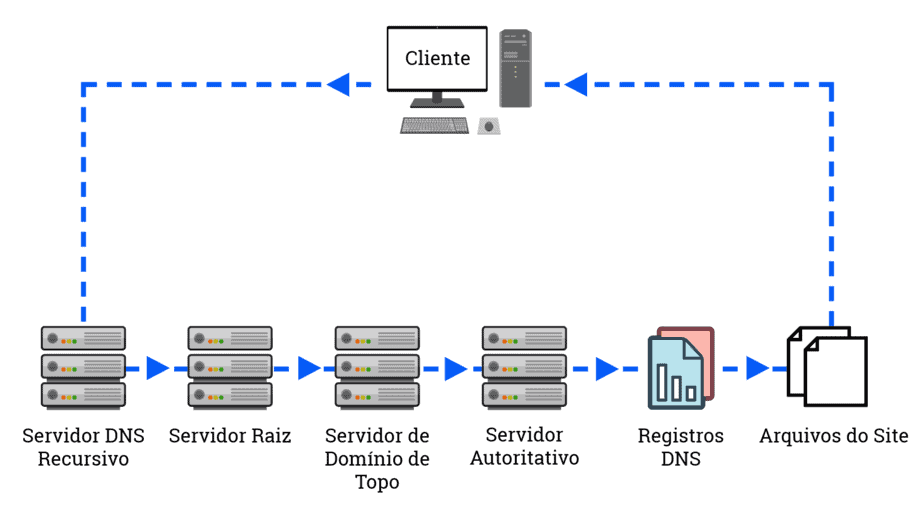
When a device needs to find the IP address associated with a domain name, it initiates a DNS query through a DNS client, usually in a web browser. This query is then directed to a recursive DNS server, typically operated by Internet Service Providers (ISPs).
DNS is organized hierarchically. An initial DNS query for an IP address is directed to a recursive DNS server. This search initially reaches a root server, which holds information about top-level domains (.com, .net, .org), as well as country domains. Root servers are distributed globally, so the DNS system forwards the request to the geographically closest server.
Once the request reaches the correct root server, it is directed to a Top-Level Domain (TLD) name server, which stores information for the second-level domain, which are the words you type into a search box. The request is then forwarded to a domain name server, which looks up the IP address and returns it to the DNS client device so that it can access the appropriate website. This entire process occurs in milliseconds.
The distribution of DNS information across multiple servers not only allows for the efficient management of millions of registered domains but also improves performance by distributing requests among several servers.
What is DNS Caching?
It is very likely that you use Google several times throughout the day. Instead of your computer making a query to the DNS server for the IP address every time you enter the domain name, this information is cached on your personal device. This eliminates the need to access a DNS server to resolve the name with the IP address for each request.
Additional caching can occur on the routers used to connect clients to the internet, as well as on the user’s Internet Service Provider (ISP) servers. With the amount of caching occurring, the number of queries that actually reach the DNS name servers is significantly reduced. This contributes to the speed and efficiency of the system, optimizing the performance of domain name resolution and improving the user experience while browsing the web.
Is DNS Secure?
The Domain Name System (DNS) is an essential part of the Internet infrastructure, but like any system, it has vulnerabilities that can be exploited. According to a 2021 IDC survey, 87% of organizations experienced DNS attacks.
“Cybercriminals” are extremely clever at identifying vulnerabilities that can be exploited in virtually any system, and DNS has been the target of a significant share of attacks. There are multiple categories of DNS attacks, including:
- DNS Amplification: This type of attack exploits open recursive DNS servers to flood a target system with unsolicited traffic, resulting in a denial of service.
- DNS Spoofing or Cache Poisoning: In this attack, the data in the DNS resolver of the server is altered to redirect requests to an IP address controlled by the attacker.
- DNS Tunneling: This method involves encapsulating data from other protocols or programs within DNS queries and responses, allowing unauthorized communication out of a network.
- DNS Hijacking or DNS Redirection: Here, attackers alter DNS entries to redirect traffic to a server they control, often for phishing or malware dissemination purposes.
To mitigate these threats, several security measures have been developed, such as DNS Security Extensions (DNSSec) and DNS over HTTPS (DoH). While these security measures can help protect DNS against attacks, DNS security remains a significant concern. According to Enterprise Management Associates (EMA), only 31% of DDI managers are fully confident in the security of their DNS infrastructure.
DNSSec
DNS Security Extensions (DNSSec) is a security protocol designed by the ICANN (Internet Corporation for Assigned Names and Numbers) to enhance security in communication between the various levels of servers involved in DNS queries. It aims to mitigate vulnerabilities in communication between first, second, and third-level DNS directory servers that could allow attackers to intercept queries.
DNSSec requires each level of DNS server to “digitally sign” its requests. This ensures that requests sent by end users are not intercepted by attackers. This creates a chain of trust, so that at each level of the query, the integrity of the request is validated.
Additionally, DNSSec can determine whether a domain name actually exists and, if it does not, prevents a fraudulent domain from being delivered to requesters seeking to resolve a domain name. This contributes to the security and integrity of the DNS system, protecting users against phishing and malware attacks.
Although DNS Security Extensions (DNSSec) address potential vulnerabilities in the distributed network of DNS servers, this certainly has not prevented DNS-based cyberattacks that use some form of deception to inject malicious code into the DNS system.
DNS over HTTPS (DoH)
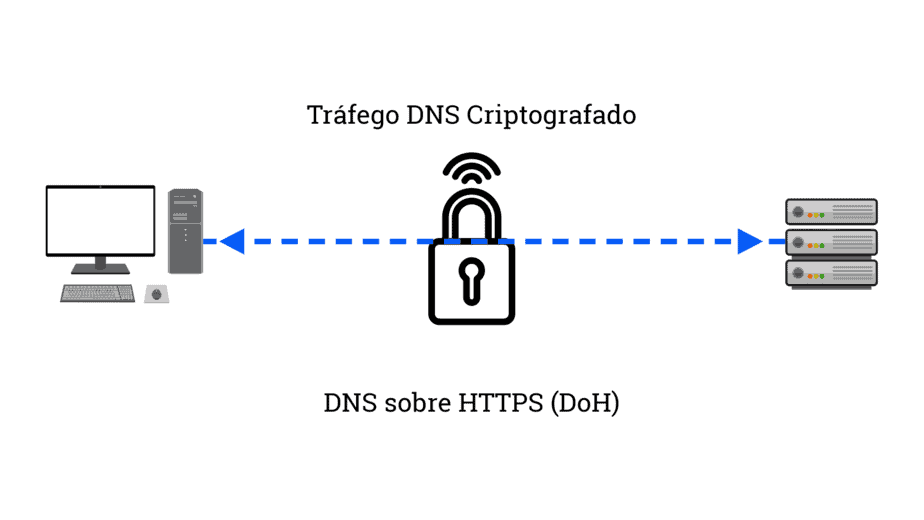
In one of the biggest changes in the long history of DNS, companies like Google and Mozilla are encouraging the transition to DNS over HTTPS (DoH), an IETF standard that encrypts DNS requests in the same way that the HTTPS protocol already protects most web traffic.
However, the transition to DoH is not without controversy. By encrypting DNS requests, DoH can interfere with corporate IT’s ability to monitor employee web activity. Additionally, this could hinder the implementation of parental controls over internet usage.
The adoption of DNS over HTTPS has been slow. On the client side, DoH is available in the latest versions of Google Chrome and Mozilla Firefox, but it can be disabled by the end user. Organizations trying to have some control over which browsers and browser versions are used by employees have the option to simply disable it. On the ISP side, many of the major ISPs have not yet enabled DoH on their end.
How to find my DNS?
Generally, the DNS server you use is automatically configured by your Internet Service Provider (ISP) when you connect to the internet. If you want to check what your primary name servers are, there are utilities on the web that can provide information about your current network connection, such as browserleaks.com.
Although your ISP sets a default DNS server, you are not required to use it. Some users may prefer to avoid the ISP’s DNS, for example, if the ISP uses its DNS servers to redirect requests to nonexistent addresses to pages with advertisements.
Alternatively, you can configure your computer to use a public DNS server, which will act as a recursive resolver. One of the most well-known public DNS servers is Google’s, which has the IP address 8.8.8.8. These public DNS servers offer a reliable and secure option for domain name resolution, as well as potentially superior web browsing performance in some cases.