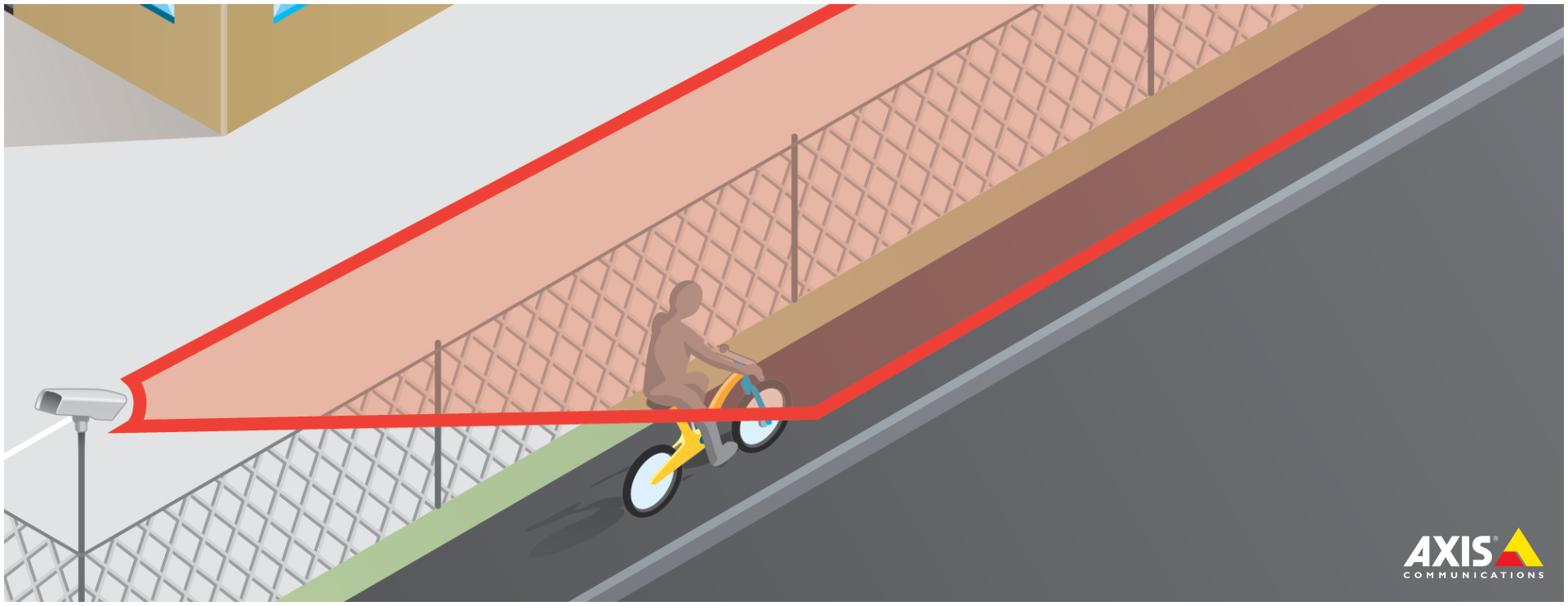
In this review, we will present the AXIS Fence Guard, a Video Analytics solution developed by the renowned AXIS Communications. Our goal is to explore in detail the workings of this powerful tool, highlighting its advantages, peculiarities, and the remarkable scalability and integration capabilities with other security devices.
[elementor-template id=”24446″]
How Does It Work?
Virtual Fence Definition
AXIS Fence Guard uses the concept of virtual fences, which are lines drawn on the image captured by the surveillance camera. These virtual fences have the ability to send alarms whenever objects cross the line in a predetermined direction. The arrows on the line show the current direction in which detection is configured. When objects cross the line in the direction indicated by the arrows, alarms are triggered.
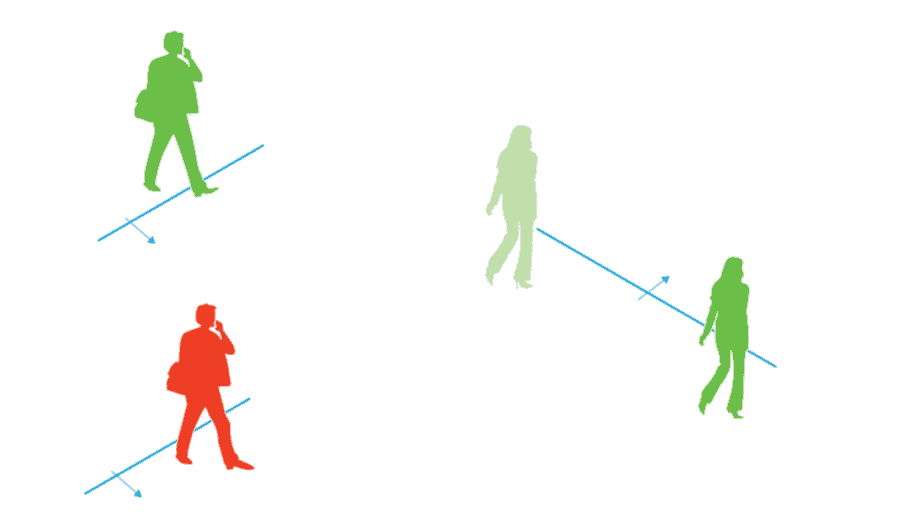
As illustrated in the image, simply touching the line is not enough to trigger an alarm. For example, the green man in the image will not trigger an alarm, as he only has one foot crossing the line. Similarly, the green woman will also not trigger the alarm, as she crossed the line only with her head and upper body.
On the other hand, the red man will trigger an alarm, as the lower part of his body crossed the virtual line. This detection configuration is highly accurate and prevents unnecessary alarm activations.
The virtual fence configuration offers great flexibility to the user, allowing adjustment of parameters such as detection sensitivity and the ability to ignore specific objects, such as animals. Additionally, the user can define the exact areas to be monitored, customizing the system according to the specific needs of each environment. This adaptability ensures accurate detection and minimizes the occurrence of false alarms, enhancing the efficiency and effectiveness of the intrusion detection solution.
Small Object Filter
Configuration profiles are fundamental features of AXIS Fence Guard that enable the creation of different customized settings to meet the specific needs of each surveillance environment. Using profiles, it is possible to define variations in virtual fence settings, alarms, and other detection options for different periods, such as day and night.
Each profile has its own independent settings and triggers specific alarms according to the established definitions. This provides remarkable flexibility and allows for a differentiated response to various security situations. For example, it is possible to have a profile with specific virtual fences for daytime monitoring and another profile with distinct settings for the nighttime period.
Furthermore, AXIS Fence Guard features high integration capability with other security systems, such as video management systems (VMS) and access control systems. This means that AXIS cameras and third-party software that receive alarms from the application can be configured to respond in different ways based on the defined profiles. This integration enables a comprehensive and highly effective approach to infrastructure protection and security enhancement of the monitored environment.
The integration capability of AXIS Fence Guard with other systems strengthens security throughout the entire protection ecosystem, enabling efficient collaboration between the different components and maximizing the effectiveness of the security measures adopted. This unified and intelligent approach contributes to reducing vulnerabilities and ensures a coordinated and effective response to potential threats, strengthening the security of the valuable protected assets.
Configuration Profiles
Profiles are essential features of AXIS Fence Guard, which allow the creation of different customized settings to meet the specific needs of the surveillance environment. With profiles, it is possible to define different virtual fence configurations, alarms, and other detection options for different periods, such as day and night.
Each profile has its own independent settings and triggers specific alarms according to the established definitions. This provides flexibility and allows for a differentiated response to different security situations. For example, it is possible to have a profile with specific virtual fences for daytime monitoring and another profile with different settings for nighttime.
Furthermore, AXIS Fence Guard is highly integrable with other security systems, such as video management systems (VMS) and access control systems. This means that AXIS cameras and third-party software that receive alarms from the application can be configured to respond in different ways based on the defined profiles. This integration enables a comprehensive and effective approach to infrastructure protection and increased security of the monitored environment.
The integration capability of AXIS Fence Guard with other systems strengthens security throughout the entire security ecosystem, enabling efficient collaboration between the different components and maximizing the effectiveness of the protection measures adopted.
Benefits of Fence Guard
Greater Effectiveness: AXIS Fence Guard is a video application that seamlessly integrates with the camera’s event management system, providing advanced features for reliable security monitoring.
With the ability to overlay alarms and send real-time notifications, this solution offers instant identification of relevant movements and enables an agile response to suspicious activities captured by the camera. Users can customize notification settings according to their specific needs, ensuring precise and efficient monitoring.
Furthermore, Fence Guard offers notification options to alert users about motion detections in real time. These notifications can be sent via email, allowing a quick and efficient response to suspicious activities captured by the camera. This notification feature is highly customizable, allowing users to choose the settings that best meet their security needs.
By combining the ability to overlay alarms, real-time notifications, and integration with the camera’s event management system, AXIS Fence Guard offers a complete solution for security monitoring. Users can rely on precise and reliable monitoring, with the ability to quickly identify and respond to suspicious movements or unwanted activities.
Reduction of false alarms: AXIS Fence Guard uses intelligent algorithms that play a fundamental role in reducing costly false alarms. These algorithms are designed to analyze detected motion and distinguish between relevant movements and common movements that occur in the background.
By applying these algorithms, AXIS Fence Guard is able to filter out common movements, preventing unnecessary alarms from being triggered. For example, it can ignore movements caused by short-duration objects, such as passing car headlights, small moving objects, or animals, which do not pose a security threat.
Additionally, the application offers customizable filter features for false alarms, allowing users to adjust settings according to their specific needs. One example of this is the small object filter, mentioned earlier.
High Flexibility: AXIS Fence Guard was designed with an intuitive interface, which facilitates quick and simplified system configuration.
The application installation is flexible and can be carried out according to the specific needs of each environment. It can be installed on Axis network cameras with firmware 7.10 and later versions, allowing companies to take advantage of their existing camera systems. This scalable approach makes AXIS Fence Guard a highly adaptable solution, capable of meeting a variety of security scenarios.
Solution Demonstration
In this section, we will present a demonstration of the system in action, highlighting its key features and functionalities:
Virtual Fence Configuration
AXIS Fence Guard offers advanced intrusion detection features through the configuration of virtual fences. These virtual fences are defined intuitively by the user, equivalent to lines with the possibility of containing up to 10 corners within the field of view of the surveillance camera.
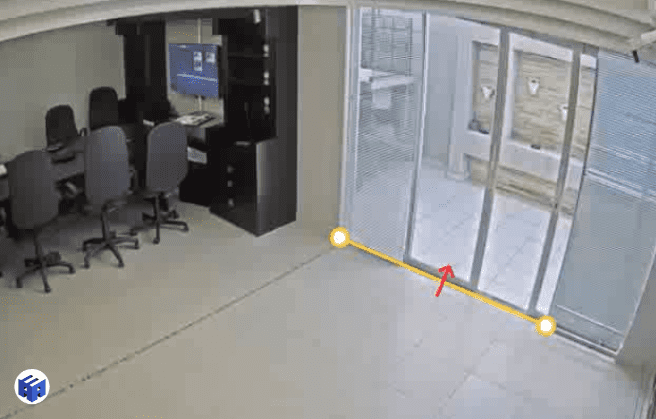
The virtual “fence” configuration can be carried out per profile, allowing customization for different security scenarios. Each profile has its own independent settings for virtual fences, alarms, and other detection options. This flexibility enables the definition of multiple virtual fences with distinct characteristics for monitoring during different periods, such as day and night.
Trigger Direction Definition
During configuration, it is possible to intuitively define the trigger direction of the virtual “fence.”
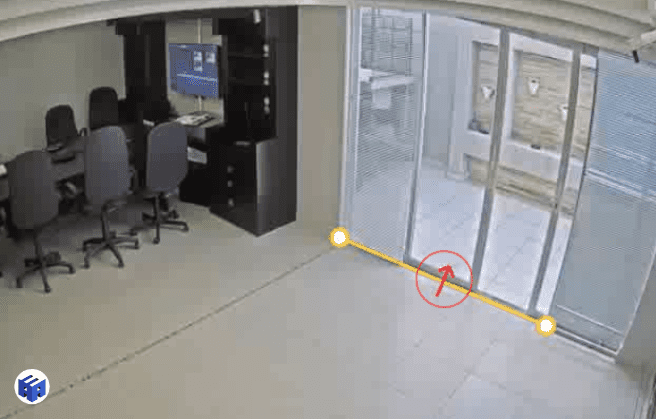
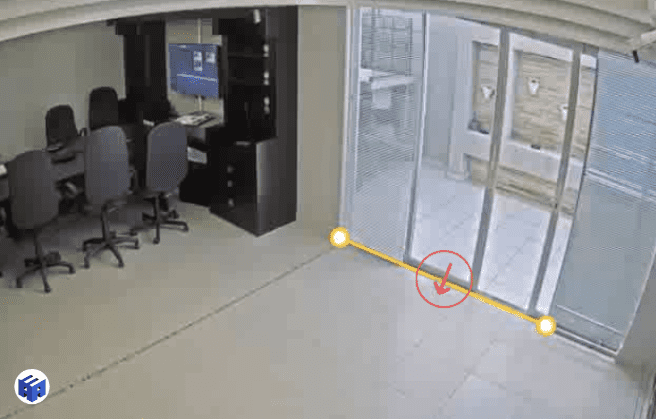
The AXIS Fence Guard application allows the user to choose the direction in which the alarm will be triggered when an object crosses the virtual line.
Automatic Line Crossing Detection
The AXIS Fence Guard intrusion detection system offers automatic line crossing detection.
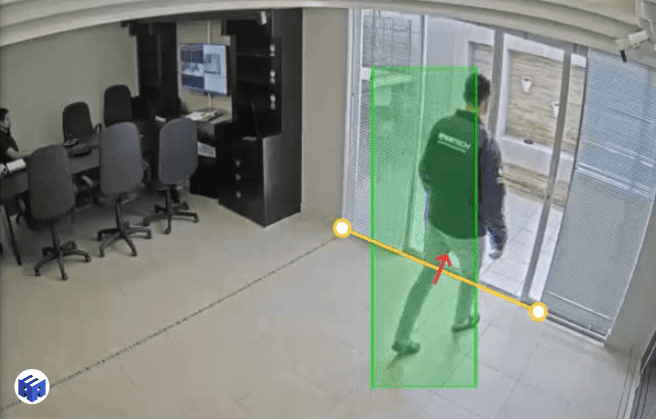
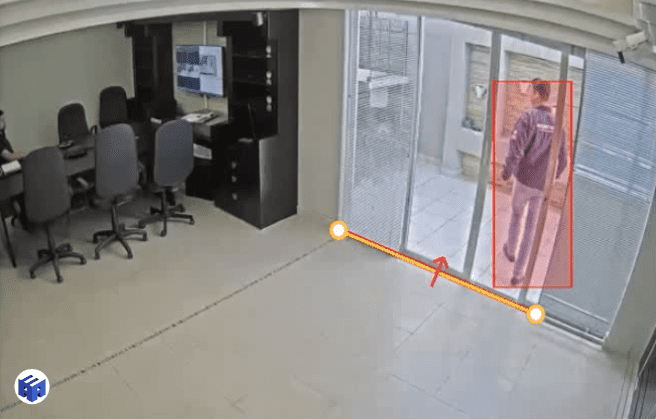
When objects cross the previously configured virtual line, the solution automatically triggers the alarm, alerting to possible intrusions.
The Virtual Fence Does Not Trigger the Alarm When Crossed in the Opposite Direction
The virtual “fence” is designed not to trigger the alarm when crossed in the opposite direction from the one configured for detection.
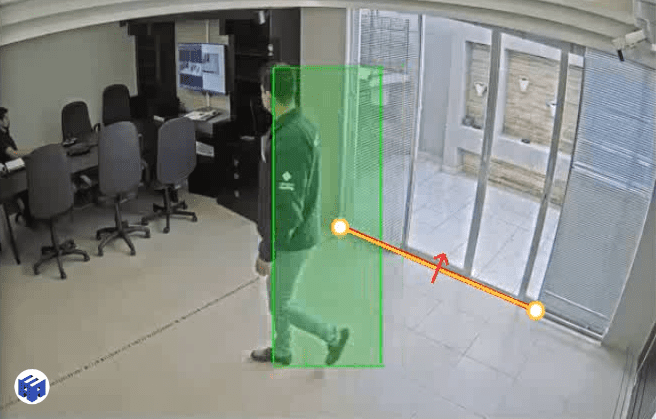
This feature prevents unnecessary alarms in cases of legitimate traffic moving in the opposite direction from the protected area.