Understand what a VPN is, how it works, its main types, practical applications, benefits, limitations, and key security considerations.
Check it out!
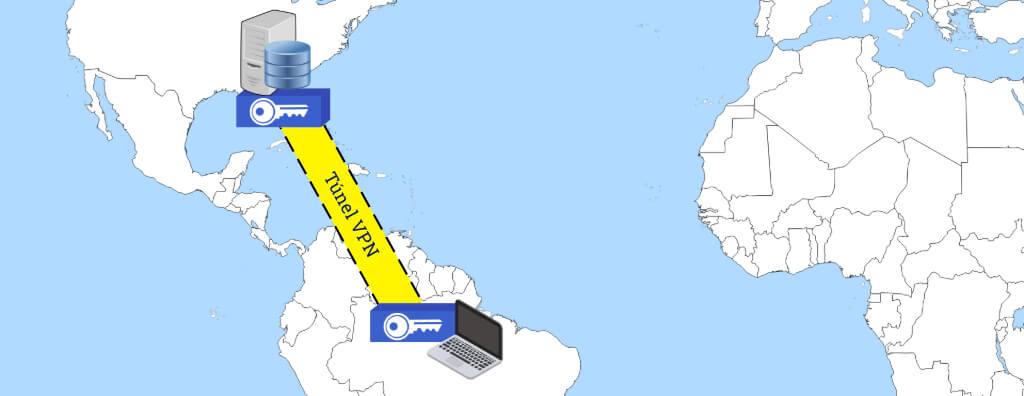
A Virtual Private Network (VPN) is a technology that establishes a secure connection between two points over an insecure public network, such as the Internet. A VPN allows the creation of a secure channel, known as a tunnel, between two points – which may be two networks, one machine and a network, or two machines.
A VPN works by encapsulating and encrypting the data transmitted between the two points, ensuring that the data cannot be seen or accessed by third parties on the public network. This data encapsulation and encryption provide an additional level of security and privacy, protecting the data from interception and unauthorized access.
Practical Applications of a VPN
Virtual Private Networks (VPNs) were initially conceived to provide secure access to the corporate network for employees working remotely.
Over time, the use of VPNs expanded beyond the corporate environment. Today, both individuals and companies use VPNs for a variety of purposes. This includes protecting sensitive personal information, such as financial or identity details, during online transactions, as well as ensuring secure web browsing by protecting user data against possible interception or attacks.
Site-to-site
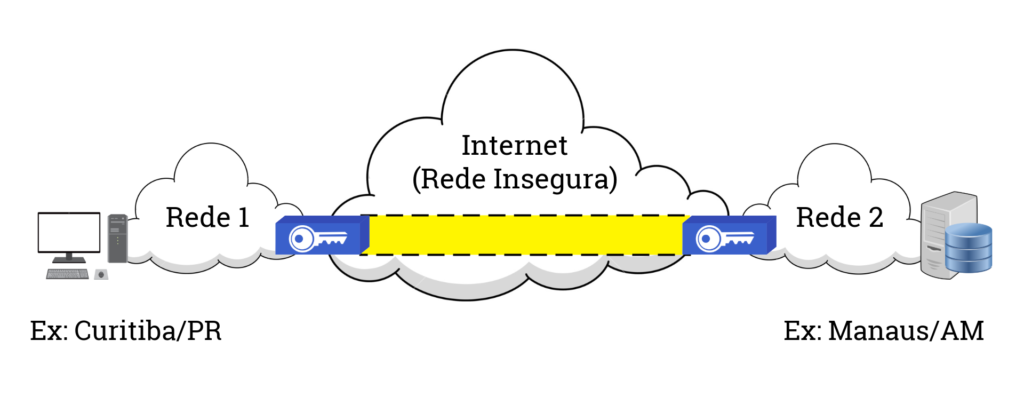
This is the original VPN concept. It uses the IPsec protocol, which operates at Layer 3 of the OSI model, that is, the Network layer. Examples of use include creating secure connections between two networks or configuring an extranet.
VPN Server
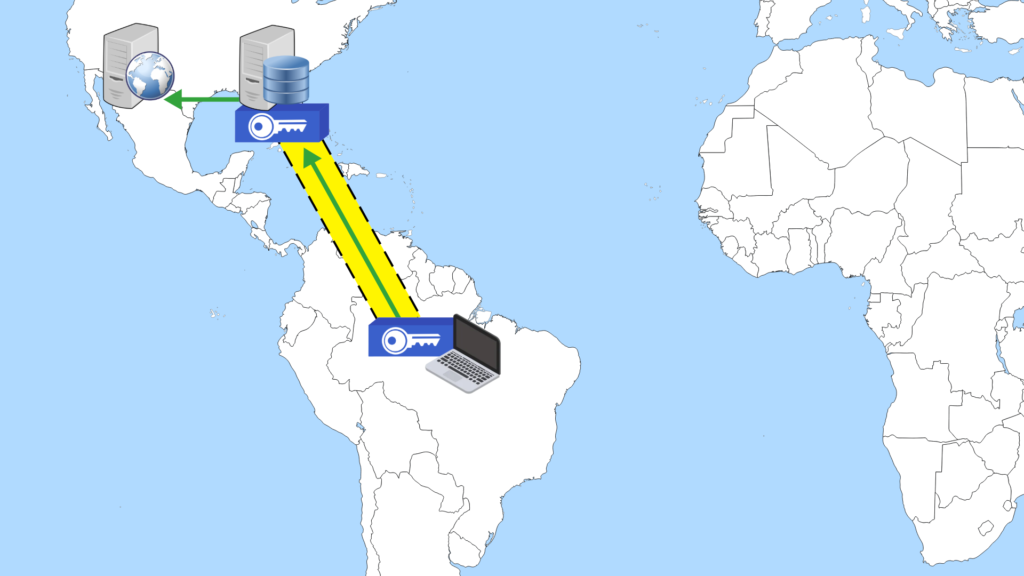
This service is similar to that of a proxy. Its objectives are to bypass access restrictions (whether geographical or firewall-related), ensure privacy, and provide encryption. There are two main types of VPN servers:
- SSL: Accessed using a plugin added to the internet browser, it operates at Layer 6 of the OSI model, that is, the Presentation layer, using the TLS protocol. It is normally activated only when accessing some websites.
- IPsec: Accessed using dedicated software, it operates at Layer 3 of the OSI model, that is, the Network layer, using the IPsec protocol. In this type of program, the VPN tunnel can be activated only for some websites, servers, or services, or it can be activated for all traffic.
It is important to note that the SSL protocol was replaced by the TLS protocol in 2011. Therefore, although the term “SSL” is still used commercially, it is technically incorrect.
How Does a VPN Work?
When establishing a connection to a VPN, all transmitted and received data is encrypted. This is done using robust security protocols, such as IPsec or TLS.
Encryption converts data into an unreadable format, which can only be reverted to its original form with the correct decryption key. This ensures that even if the data is intercepted during transmission, it will remain inaccessible and useless to the interceptor.
A VPN also hides your real IP address, replacing it with the IP address of the VPN server to which you are connected. This is known as the “VPN tunnel”. The VPN tunnel establishes a private and secure connection between your device and the VPN server, making it much more difficult for anyone to track your internet activity or determine your geographic location.
Why Use a VPN?
Using a VPN can bring many benefits, including:
Security: A VPN provides an additional layer of security by encrypting all data transmitted between the user’s device and the network to which it is connected. This is particularly useful when accessing the internet on public networks, where data can be easily intercepted.
Privacy: A VPN hides the user’s real IP address, making it harder for third parties to track online activities. This is especially important in a world where companies may collect and sell user data.
Freedom: A VPN can allow users to access content that is blocked in their geographic location. By connecting to a VPN server in a different location, users can bypass these geographic restrictions.
Decentralization: For companies, one of the main advantages of a VPN is the ability to access the company network securely when they are not on site. This allows employees to work remotely with security.
Limitations and Considerations
Although VPNs are incredibly useful and powerful tools, they have their limitations, and it is important to consider several factors when using them:
- Performance and Speed: The internet connection through a VPN may be slower than a direct connection. This happens because the data needs to be encrypted and then decrypted, and also because the data needs to travel to the VPN server before reaching its final destination.
- Blocking of Specific Services: Some online services, such as Netflix, may block connections from known VPNs to comply with their contractual copyright obligations. Therefore, even with a VPN, you may not be able to access all the content you want.
- Encryption Level: Not all VPNs offer the same level of encryption, and some may be more secure than others. It is important to understand the level of encryption offered by the VPN you are considering.
- Logging Policies: Some VPNs may log and sell your online behavior to third parties. Therefore, it is crucial to choose a VPN with a strict no-logs policy.
- Connection Interruption: If the connection to the VPN is interrupted, your internet traffic may begin to use your regular internet connection, which is not encrypted. This is known as IP leakage.
- Free VPNs: Free VPNs may have data limitations and slow speeds. In addition, some free VPNs may contain malicious code that can compromise the security of your data.
Therefore, when choosing and using a VPN, it is important to research and consider these factors to ensure that you are making the right decision for your specific internet security and privacy needs.