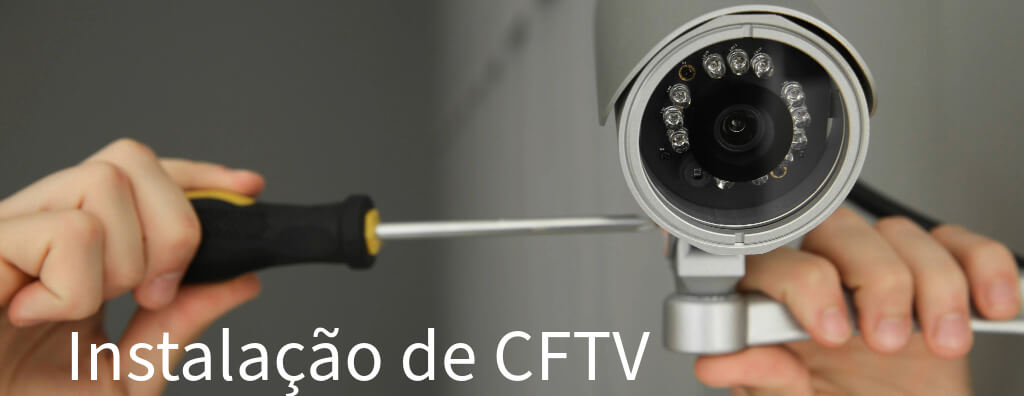
Learn the full CCTV installation process, from design and network sizing to storage, integration, installation best practices, maintenance, and operational costs.
Check it out!
CCTV, or Closed-Circuit Television, is a video monitoring system that uses cameras installed at strategic points to capture images and transmit them to designated locations, such as monitoring centers or remote devices. It is widely used for security in corporate, residential, and public environments.
In this article, we will discuss the CCTV (Closed-Circuit Television) installation process, covering everything from the technical aspects involved to best practices for ensuring an efficient, high-quality installation.
[elementor-template id=”24446″]
Introduction
With the experience gained from more than 25 years in CCTV system design and deployment and with a large technical archive that includes outstanding success cases, such as the deployment of a CCTV system across more than 50 retail stores with nearly 2,000 cameras, as well as projects for Brazil’s Superior Court of Justice (STJ) and the Public Prosecutor’s Office of Santa Catarina featuring integrated monitoring centers and multidisciplinary expertise, we decided to share some relevant information for anyone who needs to implement digital security solutions.
Let us define some important steps, starting with the design phase:
CCTV Installation Design
The CCTV system design comes before the installation stage and is the first and most critical step in ensuring that the system’s objective is achieved so that it operates efficiently and meets security requirements. The design involves analyzing the environment’s needs, selecting the correct equipment, and defining the best way to integrate all solutions.
Site Analysis

The first step in designing a CCTV system is to perform a detailed analysis of the site to be monitored. This analysis involves studying risk areas, access points, and regions that require closer surveillance. During this stage, it is essential to consider:
- Vulnerable points: Entrances, exits, windows, areas with high foot traffic, or valuable assets.
- Ambient lighting: Verify whether adequate lighting is available or whether infrared or thermal cameras will be needed to ensure clear image capture in low-light conditions.
- Camera distance: Evaluate the distances between camera installation points and the areas of interest. This affects both camera selection and the required cabling.
Choosing Camera Types by Environment
Once the site analysis is complete, the most suitable camera types for each area must be defined.
Choosing cameras for a CCTV installation design must take into account the different types of environments and their specific monitoring needs. Let us look at the main criteria that guide this decision to ensure system efficiency in different scenarios.
Indoor Environments
A3A Engenharia de Sistemas Archive
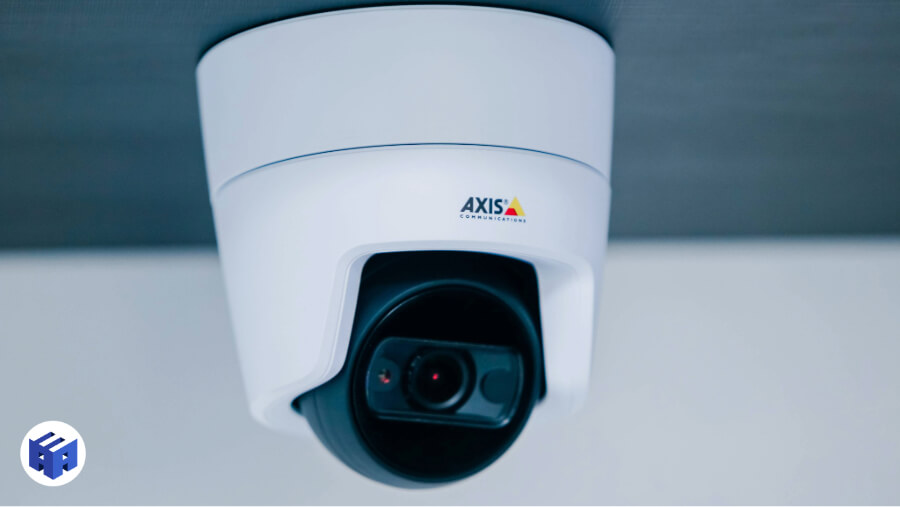
For indoor environments, such as offices, stores, homes, and commercial facilities, the main criteria to be considered when selecting cameras include:
- Discretion: In indoor environments, cameras are often installed discreetly so as not to interfere with the site’s aesthetics. Smaller cameras with subtler designs are preferred, especially in areas such as reception zones and corridors.
- Adequate coverage: Cameras must be positioned to cover entrances, exits, circulation areas, and locations with valuable assets. The field of view must be sufficient to monitor the space without requiring a large number of cameras.
- Lighting: Most indoor environments have adequate lighting, which means standard-sensor cameras may be sufficient. However, for low-light areas or times when lights are turned off, it is important to consider cameras with infrared (IR) or good low-light performance.
- Access control and movement: In indoor locations that need to monitor people in restricted areas or controlled access points, it is important to install cameras that cover entry and exit points, as well as sensitive areas that require constant surveillance.
Outdoor Environments
A3A Engenharia de Sistemas Archive
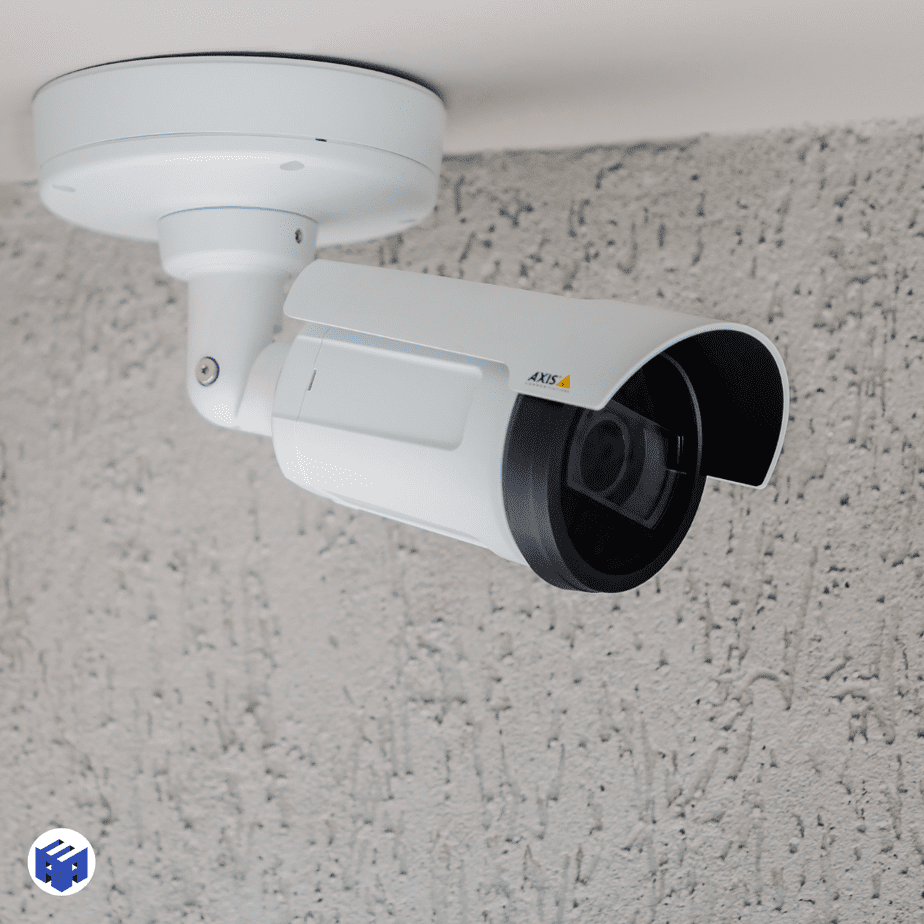
Choosing cameras for outdoor environments, such as parking lots, courtyards, building entrances, or security perimeters, follows stricter criteria because of adverse conditions and the need for broader coverage. The main factors include:
- Resistance to weather conditions: Cameras for outdoor environments must be waterproof, dustproof, and resistant to temperature variations and harsh weather. Models with a protection rating such as IP66 or higher are recommended to ensure durability.
- Range and night vision: In outdoor areas, visibility may be limited at night or in poorly lit locations, making the use of cameras with infrared or thermal lenses essential, since they capture images in total darkness. Night vision range should also be considered to cover large areas.
- Coverage of large spaces: Outdoor environments generally require broader coverage. Cameras with wide viewing angles or cameras that allow movement and zoom (such as PTZ cameras) are recommended to ensure that distant points are also monitored.
- Deterrence: Visible and easily identifiable cameras can serve as deterrents to intruders. In some cases, simply having cameras in outdoor locations is enough to discourage unwanted activities.
Access Areas and Entrances
In access areas such as guardhouses, building entrances, garages, and parking lots, surveillance should focus on identifying who enters and exits, as well as monitoring vehicles and potential intrusion points.
- Face and license plate identification: In these areas, cameras must be positioned at angles that facilitate capturing faces and reading vehicle license plates. Camera resolution is important to ensure that this information is clear and can be used in potential investigations.
- Lighting control: Entrances may have abrupt lighting changes (such as natural and artificial light), requiring cameras with automatic exposure adjustment to capture clear images even in backlit or overly bright situations.
High-Traffic Areas
In places such as corridors, lobbies, common areas, and store aisles, the constant flow of people requires continuous monitoring and full environmental coverage.
- Fixed cameras: In high-traffic areas, fixed cameras are a good option because they cover specific zones and can be strategically positioned to monitor people’s movement and potential suspicious activity.
- Complete coverage: To avoid blind spots, it is important to ensure that cameras are positioned where they can fully capture movement, preventing unmonitored areas.
- Motion detection: Motion detection systems can be used in these locations to optimize surveillance and alert operators to unusual movement outside business hours or in restricted-access areas.
Sensitive or Restricted Areas
In locations such as server rooms, storage areas, financial departments, or places with high-value materials, surveillance must be more intensive and carefully planned.
- High resolution: Image quality must be prioritized to ensure that important details, such as faces and manual activities, are recorded accurately.
- Continuous monitoring: These areas are often monitored continuously and with greater attention, with uninterrupted recording and real-time alerts.
- Restricted access: The use of cameras integrated with access control systems is recommended to ensure that only authorized persons can enter these spaces.
Strategic Camera Positioning
A3A Engenharia de Sistemas Archive
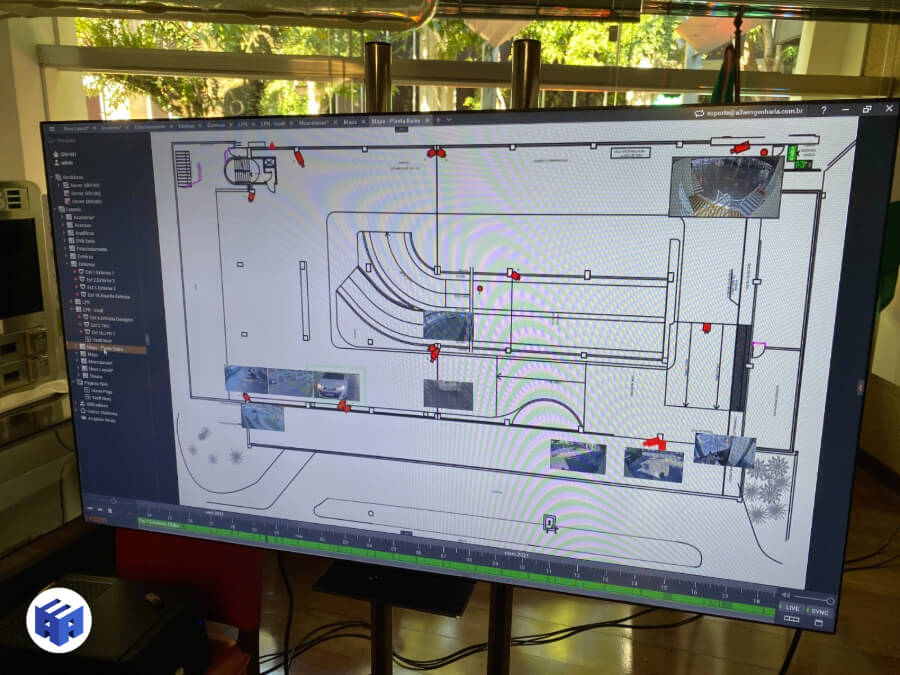
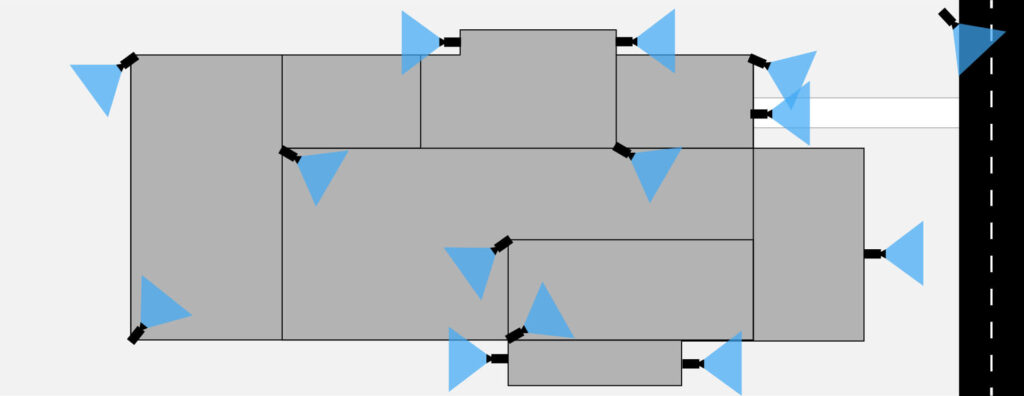
The design must also define the strategic positioning of each camera to maximize coverage of areas of interest and minimize blind spots. Some guidelines include:
- Installation height: To prevent vandalism or tampering while ensuring that important details, such as faces and license plates, are captured.
- Viewing angle: The camera angle must be adjusted to cover the largest possible area without compromising image quality.
- Cross coverage: In critical areas, it is common to use cameras with overlapping coverage, ensuring that a failure in one camera does not leave the area unmonitored.
Network Sizing
A fundamental aspect of CCTV installation design is properly sizing the cabling infrastructure.
Proper network sizing for a CCTV system is essential to ensure that all cameras operate correctly, that data is transmitted efficiently, and that the monitoring system runs without interruptions.
A CCTV system with high-definition cameras generates a significant amount of data that must be transmitted over the local network and, in some cases, over the internet for remote access. This means that the network infrastructure must be sized to support these demands without compromising system performance.
Bandwidth Required for Video Transmission
CCTV cameras, especially high-resolution ones (such as 1080p or 4K), consume a significant amount of bandwidth. For each camera, it is necessary to calculate the amount of data it will transmit over the network, taking into account:
- Camera resolution: The higher the resolution, the more data is generated. For example, a 4K camera will generate much more data than a 720p camera.
- Frame rate: Cameras that record at 30 frames per second (fps) consume more bandwidth than those that record at 15 fps. The frame rate should be adjusted according to the required image smoothness.
- Video compression: Compression technologies such as H.264 or H.265 help reduce the size of video files without greatly compromising image quality. However, compression also requires more processing, both in the cameras and in storage and transmission devices.
Number of Cameras in the System
Another determining factor is the number of cameras installed in the system. The more cameras there are, the greater the amount of data traveling across the network. Systems with more cameras require more robust networks, high-capacity switches, and suitable cabling to support the generated traffic.
- Small systems: Smaller local area networks (LANs) can use standard switches with PoE (Power over Ethernet) support to power the cameras and transmit data without overloading the system.
- Large systems: For larger systems, it is necessary to use managed switches with greater processing capacity, as well as consider creating specific network segments (VLANs) to isolate video traffic from the rest of the network.
Distance Between Cameras and the NVR/Switch
The distance between cameras and network devices (switches or NVRs) also affects network sizing. Cabling, especially in IP systems, has distance limits that must be respected to avoid signal loss.
- Cabling limits: In IP CCTV systems, the use of network cable (Cat 6 or Cat6A) allows efficient transmission up to 100 meters. For longer distances, it may be necessary to create consolidation points or install telecommunications cabinets with intermediate switches for sectors with many cameras connected to the main rack via fiber optics.
- Shielded network cables: In environments with high electromagnetic interference (EMI), such as industrial areas or electrical environments with many nearby power cables, the use of shielded network cables is recommended to minimize interference that could impair data transmission.
Power over Ethernet (PoE)
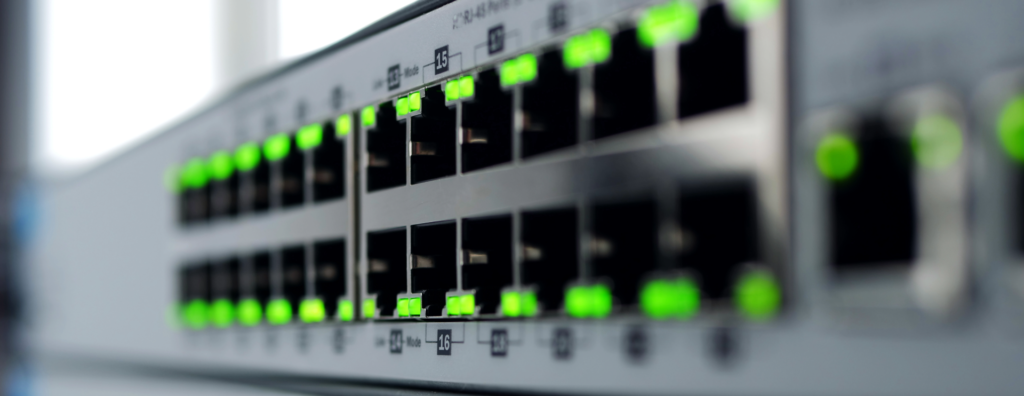
Using PoE switches (Power over Ethernet) is an efficient solution for powering IP cameras directly through the same network cable, eliminating the need for a separate power supply. However, choosing the PoE switch must be done carefully, considering:
- Total power delivery capacity: The PoE switch must be able to provide enough power for all connected cameras without overloading the system.
- Power management: In systems with many PoE cameras, it is important to use managed switches that allow monitoring and controlling the power supply for each camera, avoiding power-related issues.
Quality of Service (QoS) and Network Segmentation (VLANs)
In complex systems, where video traffic must compete for bandwidth with other kinds of data on the same network, implementing Quality of Service (QoS) is essential. QoS makes it possible to prioritize video traffic over other types of data, ensuring that camera images have priority and are transmitted without interruption.
In addition, network segmentation into VLANs (Virtual Local Area Networks) makes it possible to isolate video traffic from regular corporate network traffic, preventing spikes in other services (such as internet access or file transfers) from affecting the quality of CCTV images.
Recording and Image Storage
Video recording and storage are fundamental in any CCTV system. They ensure that the images captured by the cameras can be accessed and analyzed later, enabling event reviews, incident identification, and the provision of visual evidence.
The correct choice of recording devices and proper configuration of the storage system are essential to ensure the efficiency and availability of images when needed.
Types of Recording Systems
There are several video recording solutions for CCTV systems, which vary according to the type of camera used and the storage requirements of the project. In addition to traditional devices inherited from analog systems, such as DVRs and NVRs, more complex projects with higher demands benefit from the use of recording servers with VMS (Video Management System), which is the ideal solution.
Main types of recorders:
- NVR (Network Video Recorder): Used in IP camera-based systems, the NVR connects to the network and records the video transmitted by the cameras. It allows images to be accessed remotely and offers greater flexibility for high-resolution cameras.
- DVR (Digital Video Recorder): Used in analog CCTV systems, the DVR receives video signals through coaxial cables and converts them to digital format. Although less common in modern systems, the DVR is still used in some installations with analog cameras.
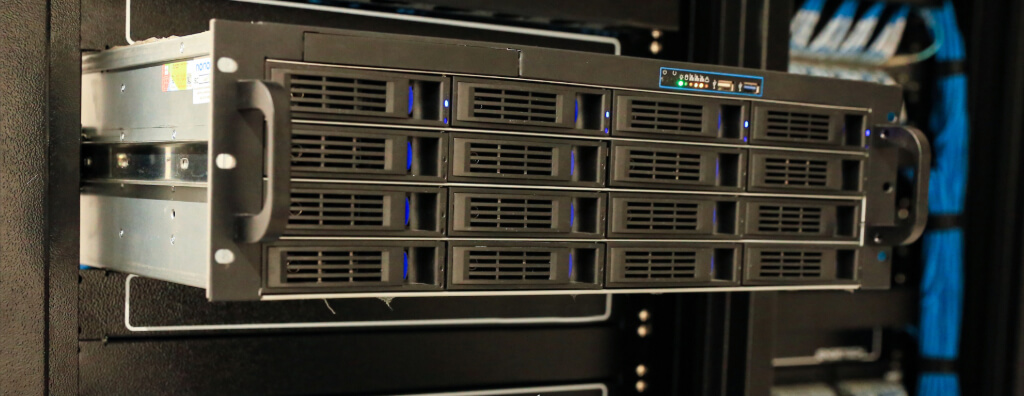
- Recording Servers with VMS (Video Management System): Dedicated servers with video management software (VMS) are ideal for large CCTV systems that require high processing capacity, integration with multiple systems, and advanced features. The VMS provides a centralized platform to control cameras, record and manage video, in addition to incorporating video analytics features such as motion detection, facial recognition, and perimeter monitoring.
- Benefits of VMS: Flexibility and scalability are major advantages of VMS recording servers. They allow management of a large number of cameras and integration with other security systems. In addition, the VMS facilitates video search, storage, and export, optimizing operations.
A3A Engenharia de Sistemas Archive
Storage Capacity
Storage capacity should be established as a project assumption and defined based on the required image retention period, without compromising quality. The proper choice of storage type and size must consider the following factors:
- Camera resolution: Higher-resolution cameras (such as 1080p or 4K) generate more data, increasing storage demand.
- Frame rate: Videos recorded at a higher frame rate (for example, 30 fps) result in larger files, increasing storage requirements.
- Video compression: Compression is used to reduce the size of video files. Standards such as H.264 and H.265 are common, with H.265 being more efficient and allowing more video to be recorded without significantly increasing storage demand.
- Recording retention period: The required retention period must be taken into account. Systems requiring 30, 60, or more days of retention will need larger storage capacity.
- Number of cameras: The more cameras installed, the greater the volume of generated data, requiring higher storage and processing capacity.
Storage Solutions
- Recording servers: Recording servers with surveillance-grade hard drives (Surveillance HDDs) in RAID for continuous recording operate 24/7 and offer greater durability compared with standard drives. They are widely used in systems that require high reliability for long-term recording.
- Cloud storage: The cloud offers scalability and flexibility, allowing recordings to be accessed remotely. However, it depends on a stable internet connection and may generate additional storage costs.
- Local servers: For large installations, the use of dedicated servers offers greater control over storage, with more capacity and room for expansion. Servers can be configured to store large volumes of data locally, with backup and redundancy options.
- Edge storage: Some IP cameras can store recordings locally on memory cards, which can be useful in the event of a network failure. Edge storage serves as redundancy until the connection with the main recorder is restored.
Recording Configuration
CCTV systems can be configured to record in different ways, depending on specific surveillance needs and storage capacity:
- Continuous recording: Cameras record 24 hours a day, 7 days a week. This method consumes more storage space, but guarantees that no event is missed.
- Motion-detection recording: Cameras with motion sensors record only when there is activity, saving bandwidth and storage space. This method is ideal for low-traffic areas.
- Scheduled recording: The system can be configured to record only at specific times, such as outside business hours, reducing the amount of recorded data and storage usage.
- Recording servers with VMS: The VMS allows more advanced and customizable configuration of recording modes, such as continuous recording with event detection, integration with alarm systems, and intelligent video analytics. In addition, the VMS facilitates centralized management and enables real-time adjustments to the recording system as needed.

Backup and Redundancy
Having a backup system is essential to avoid losing recordings in the event of storage device failure:
- RAID (Redundant Array of Independent Disks): RAID distributes data across multiple disks, ensuring that if one disk fails, the recordings can still be recovered from the others.
- Cloud backup: In addition to local storage, some companies choose to regularly back up recordings to the cloud, adding an extra layer of security.
Integration with Other Security Systems
Integrating the CCTV system with other electronic security systems is an essential strategy for improving monitoring efficiency and increasing safety. By integrating CCTV with alarm systems, access control, and fire detection, it becomes possible to create a complete solution in which different subsystems work in a coordinated way, providing a faster and more efficient response to security incidents.
Main Systems That Can Be Integrated with CCTV
Access Control
A3A Engenharia de Sistemas Archive
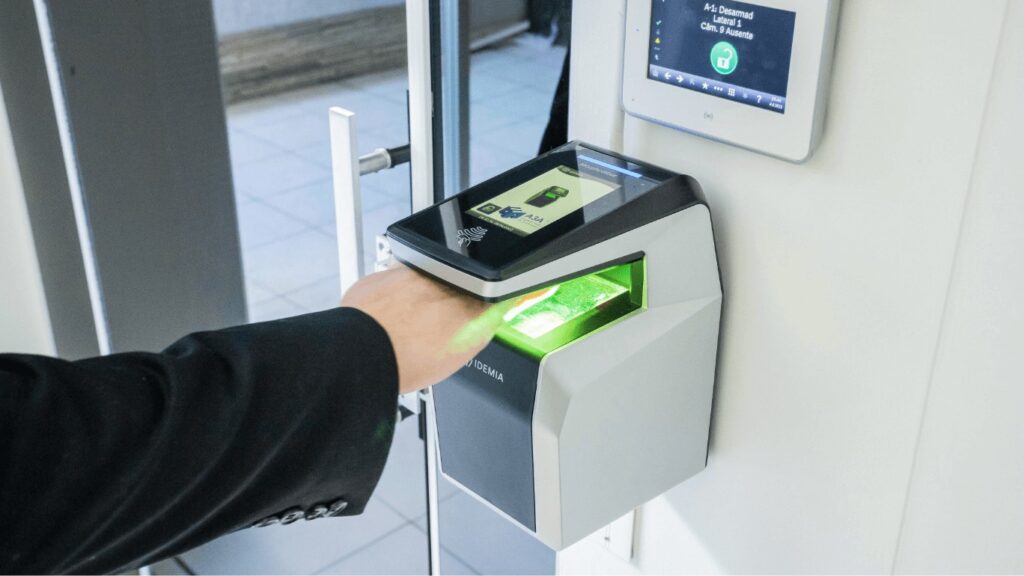
The access control system is responsible for managing the entry and exit of people in an environment. Integration with CCTV allows access control events, such as employee or visitor authentication, to be automatically associated with video images.
- Integration example: When a person uses an access card to enter a restricted area, nearby cameras can be activated to record the entry. This creates a visual record synchronized with access control data, making it possible to verify who entered and at what time.
- Advantages: In the event of an unauthorized access attempt, the CCTV system can capture the activity in real time and send alerts to operators, who can take immediate action, such as blocking access or calling security staff.
Intrusion Alarm System
A3A Engenharia de Sistemas Archive
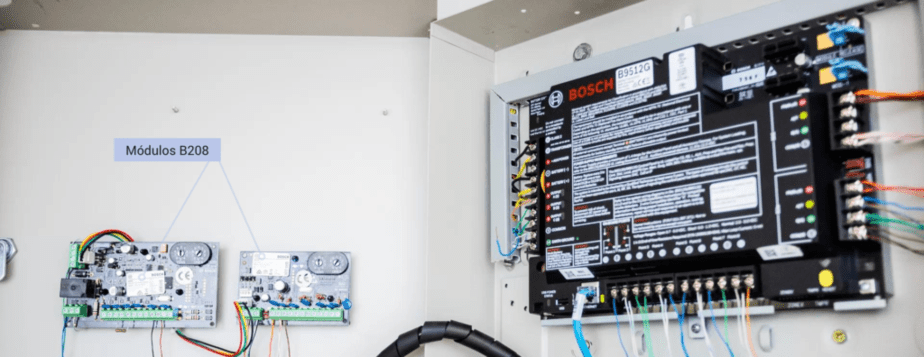
Integrating CCTV with intrusion alarm systems offers an additional layer of protection to detect and respond to intrusion attempts in sensitive areas. The alarm system can be configured to work together with cameras, capturing images whenever an alarm is triggered.
- Integration example: If a motion sensor detects activity in a protected area outside the permitted schedule, the alarm will be activated and, at the same time, the cameras will begin recording images of the invaded area. The images can be transmitted in real time to a monitoring center, allowing the security team to assess the situation.
- Advantages: Automated recording reduces response time, allowing the security team to see exactly what is happening and make informed decisions about the incident response.
Fire Detection
A3A Engenharia de Sistemas Archive
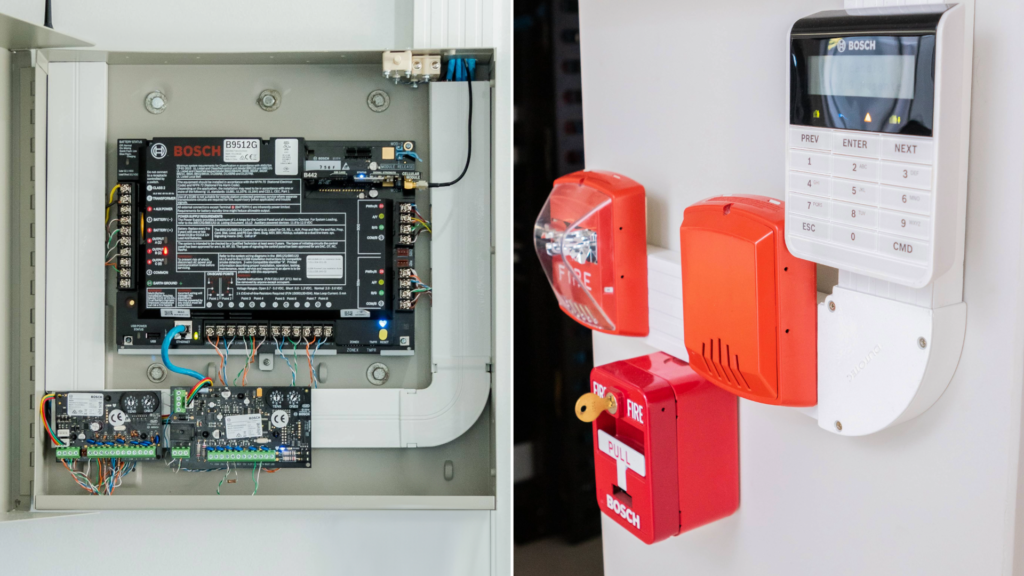
Integration with fire detection systems is fundamental for the safety of industrial, commercial, or residential facilities. When smoke or heat detectors identify a fire, cameras can be automatically directed to the affected areas, allowing an immediate visual assessment of the situation.
- Integration example: If a smoke detector in a warehouse is triggered, cameras at the site can be activated to monitor the area and provide a clear view of the incident to operators or emergency teams. This integration helps the response team begin procedures quickly, avoiding a potential fire escalation.
- Advantages: Integration enables a rapid visual assessment of risks, optimizing the evacuation process or coordination with firefighters and other emergency response teams.
Building Management System (BMS)
The BMS (Building Management System) manages several building functions, such as lighting, HVAC, and power. Integration with CCTV makes it possible to visually monitor critical events related to these functions, such as electrical failures, heating or cooling issues, and other operational anomalies.
- Integration example: If the HVAC system fails in a server room, the BMS can trigger the cameras in the area to verify environmental conditions and help identify the cause of the problem. This allows the maintenance team to take immediate action to prevent equipment damage.
- Advantages: Visual monitoring can quickly identify problems that would not be detected by BMS sensors alone, helping avoid critical failures or property damage.
Video Analytics Systems
A3A Engenharia de Sistemas Archive
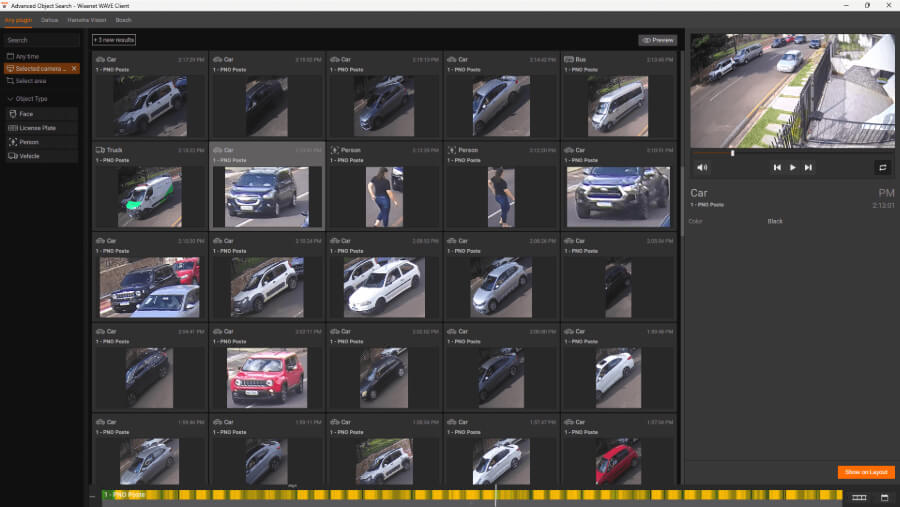
Video analytics using artificial intelligence and machine learning can be integrated with CCTV to provide advanced features such as suspicious behavior detection, facial recognition, people counting, and abandoned object detection.
- Integration example: In a shopping mall, the CCTV system can be integrated with a video analytics solution to detect suspicious behavior, such as a person remaining in an area for a long time or the presence of an unattended object. The system can send automatic alerts to the security team, enabling a faster response.
- Advantages: Artificial intelligence and video analytics reduce operators’ workload and increase monitoring efficiency by detecting events that could otherwise go unnoticed.
Considerations for Efficient Integration
To ensure that CCTV operates in an integrated way with other systems, some considerations must be taken into account:
- System compatibility: Make sure that the systems to be integrated are compatible with each other or can be easily connected through APIs or common communication protocols.
- Scalability: The system must be sized to allow future expansion as new features or devices are added. This is especially important in large installations, where security needs may change over time.
- Centralized management: Using a platform that enables the integration and centralized management of all security systems in a single interface simplifies operations and monitoring.
- Cybersecurity: As connectivity between systems increases, it is crucial to ensure that networks are protected against cyberattacks, especially in IP systems. Measures such as firewalls, data encryption, and strong authentication are essential.
Budget and Feasibility
Before starting the installation of a CCTV system, it is essential to evaluate the available budget and the feasibility of the project. Careful financial planning helps balance cost and benefit, ensuring that the system meets security needs without compromising quality or generating excessive expenses. In addition, this assessment considers both initial and ongoing operation and maintenance costs.
Factors that will impact project acquisition cost:
Number of Cameras and Equipment
- Number of cameras: The more cameras required, the higher the initial acquisition and installation cost. Larger systems also require greater network capacity, more storage, and additional recording devices.
- Camera type: Cameras with advanced features, such as high resolution (4K), infrared, thermal imaging, or PTZ functionality, tend to have a higher cost compared with basic cameras.
- Auxiliary equipment: In addition to the cameras, the budget must include recorders (NVR/DVR), PoE switches, routers, cabling, and installation infrastructure such as conduits and mounting brackets.
Network Infrastructure
- Structured cabling: Cabling installation can have a significant impact on cost, especially in large facilities or environments with logistical challenges, such as extensive areas or multi-story buildings.
- Switches and network equipment: The choice of PoE switches, servers, and other network equipment must be sized according to the number of cameras and the volume of generated data, which may increase infrastructure cost.
Video Storage
- Storage capacity: Storage cost depends directly on camera resolution, recording rate, and image retention time. Systems that require continuous recording for long periods (30, 60, or 90 days) demand greater storage capacity, whether on local servers, NVRs, or cloud storage.
- Backup and redundancy solutions: The use of backup technologies, such as RAID arrays, or integration with cloud storage can increase cost, but it ensures greater reliability and data security.
Integration with Other Systems
Integrating CCTV with other security systems, such as access control and alarms, can bring operational benefits, but it also influences total cost. Integrated systems often require additional management software or compatible hardware, as well as specialized services for configuration.
Software Licenses (VMS)
In the case of server-based systems with VMS (Video Management System), the budget must include the cost of licenses for the video management software. The cost of these licenses may vary according to the number of cameras, advanced features (such as video analytics), and the need for ongoing updates.
Finally, but no less importantly, the project must be aligned with the available budget, seeking alternatives that do not compromise quality. In cases of budget limitations, it is possible to opt for phased implementation, prioritizing critical security areas and expanding the system over time as budget allows.
CCTV Camera Specification
After completing the infrastructure installation design and system layout, the next stage is the specification of CCTV cameras.
The choice must be based on the requirements identified in the project, taking into account the type of environment, lighting conditions, distance to points of interest, and desired image quality.
Available Camera Types
In the security market, there is a wide variety of cameras with different features and applications. Each camera type has specific characteristics that must be aligned with system requirements:
- Dome cameras: These are popular for indoor environments because of their discreet design and ceiling-mounting capability. They offer a wide field of view and are less susceptible to vandalism, since their shape makes it harder to identify the direction the lens is pointing.
- Bullet cameras: Ideal for outdoor areas because they are more robust and feature weather protection. They are designed for environments that require greater resistance, such as exposed areas or locations with high pedestrian traffic. In addition, they are visually more deterrent because their presence is more evident.
- PTZ cameras (Pan, Tilt, Zoom): This type of camera offers greater flexibility, allowing the operator to move the camera horizontally and vertically, as well as zoom in on specific details. They are ideal for monitoring large open areas, such as parking lots and perimeters. They can be programmed to automatically follow movements detected in specific zones.
- Thermal cameras: Used in areas with little or no lighting, they detect the heat emitted by objects and people, allowing clear image capture even in total darkness. They are widely used in perimeter security applications and industrial environments, where early intrusion detection is critical.
- Infrared (IR) cameras: Designed to operate in low-light or no-light environments, these cameras use infrared LEDs to illuminate the monitored area without making it visible to the naked eye. They are recommended for night surveillance or in areas with little natural light.
Camera Resolution
Camera resolution directly impacts the quality of the captured image. Depending on the application, it is necessary to choose a resolution that is appropriate for the level of detail that needs to be observed.
- 720p (HD): Suitable for general monitoring when fine detail is not a priority.
- 1080p (Full HD): Offers high-quality images and is a common choice for most security applications, providing enough sharpness to identify faces and license plates.
- 4K (Ultra HD): Ideal for monitoring large areas or locations where a high level of detail is required, such as airports or entrances to sensitive facilities. 4K cameras capture extremely sharp details, allowing a higher level of surveillance.
Lens and Field of View
Lens selection is also critical to CCTV system performance. Depending on the area to be monitored and the distance to the target, the lens may be fixed or varifocal.
- Fixed lens: Has a defined viewing angle and cannot be adjusted. It is ideal for locations where the field of view has already been clearly determined in the design.
- Varifocal lens: Allows the field of view to be adjusted according to site needs, offering greater flexibility. This type of lens is useful in situations where the field of view may need to be changed after installation.
In addition, it is important to consider the camera’s horizontal field of view, which can vary according to the lens. Cameras with a wide field of view are more suitable for open areas, while those with a narrower field of view are useful for focusing on specific areas, such as corridors and entrances.
Environmental Conditions
Another determining factor in camera selection is the environment where it will be installed. For outdoor areas, it is important to verify whether the camera is resistant to harsh weather, dust, and other elements. Cameras with an IP66 or higher rating are recommended to withstand rain, dust, and extreme temperatures.
In indoor areas, such as offices and stores, cameras can be simpler in terms of protection, focusing on image quality and discreet design so as not to interfere with the environment’s aesthetics.
Built-in Video Analytics
Today, many cameras come with built-in video analytics capabilities. Features such as motion detection, facial recognition, people counting, and detection of removed or abandoned objects are some examples of analytics that can be implemented directly in the cameras. These capabilities not only increase system effectiveness but also reduce incident response time.
CCTV System Installation
With the design completed and the components selected, the next phase is the physical installation of the CCTV system. Installation quality is crucial to system performance and reliability, making it important to follow specific steps and adopt best practices that ensure efficient operation.
CCTV System Installation Steps
Site Verification
Before starting the installation, it is essential to prepare the environment. This includes:
- Layout verification: Review the detailed design to confirm the location of each camera and device. This avoids positioning mistakes and ensures that all critical areas will be covered.
- Identification of obstacles: Make sure there are no physical barriers, such as structures or electromagnetic interference sources, that could compromise image quality or device communication.
- Infrastructure check: Verify the availability and integrity of cabling, power outlets, and network connections.
Cable Routing
Cabling installation must follow the network infrastructure design, observing the following practices:
- Safe routes: Run cables through routes that avoid exposure to electromagnetic interference (EMI) and areas at risk of physical damage. Use conduits or cable trays to protect cables in open environments.
- Organization and identification: Organize cables in an orderly manner and identify each one, especially in complex installations with many devices. This facilitates future maintenance and system expansion.
- Maximum distance: Respect network cable distance limits to avoid signal loss. In IP systems, Category 6 network cable has an effective range of up to 100 meters. For greater distances, consider the use of repeaters or fiber optics.
Camera Installation
Cameras must be installed according to the design guidelines, taking proper positioning and viewing angles into account. Best practices include:
- Appropriate height: Install cameras at heights that avoid vandalism or manual interference while still ensuring good area coverage.
- Angle adjustment: Ensure that the cameras are adjusted to cover areas of interest without creating blind spots or unnecessary overlap.
- Robust mounting: Use appropriate mounting materials to ensure that cameras are firmly secured, especially in outdoor environments subject to wind and harsh weather.
Switch and Recorder Installation
After cable routing, network devices and recorders (NVR, DVR, or servers with VMS) must be installed and configured according to the design:
- NVR/DVR placement: Recorders must be installed in secure locations, such as a server room or monitoring center. It is important to ensure that the environment has adequate ventilation to prevent device overheating.
- PoE switches: If the IP cameras use PoE (Power over Ethernet), make sure the switches are providing the power required for all connected cameras. Check the switch’s total power delivery capacity and monitor it to avoid overloads.
Configuration and Testing
With the devices installed, the next step is to configure the system and test its operation:
- Camera configuration: Adjust resolution, frame rate (FPS), and video compression settings (such as H.265 or H.264) to optimize image quality and storage usage.
- Recording configuration: Configure the NVR, DVR, or VMS to record images as planned, whether by motion detection, continuous recording, or scheduled times. Test each of these functions to ensure they operate as expected.
- Remote access verification: If the system allows remote access, configure and test access via smartphones, tablets, or computers, ensuring that the images can be viewed and managed remotely in a secure way.
- Network testing: Verify the quality of data transmission between cameras and the NVR or server, ensuring that there is no signal loss, latency, or image quality issues.
Training and Documentation
After installation and configuration, it is essential to ensure that the team responsible for monitoring and maintaining the system is properly trained. This includes:
- Operational training: Teach operators how to use the monitoring software, adjust cameras, review recordings, and respond to events in real time.
- Preventive maintenance: Instruct the team on preventive maintenance procedures, such as lens cleaning, connection verification, and firmware updates.
- Documentation: Provide detailed system documentation, including the installation layout, list of cameras and devices, operating instructions, and system access information.
Installation Best Practices
In addition to installation steps, adopting best practices is essential to ensure the longevity and proper performance of the CCTV system:
- Regular maintenance: Perform regular preventive maintenance to ensure that cameras, recorders, and other devices are functioning properly. This includes cleaning camera lenses, checking network connections and cables, and updating the management software.
- Cybersecurity: In IP systems, it is essential to adopt security measures to protect the system against cyberattacks. This includes the use of strong passwords, frequent firmware updates, and the implementation of firewalls and data encryption.
- Scalability: Design the installation to allow for future expansion. This may include installing additional conduits and junction boxes, choosing switches with spare ports, and acquiring an NVR or server with enough storage space for new cameras.
Training and Documentation
After installation and system parameterization, it is essential to ensure that the team responsible for system monitoring and maintenance is properly trained.
- Operational training: Teach operators how to use the monitoring software, adjust cameras, review recordings, and respond to events in real time.
- Preventive maintenance: Instruct the team on preventive maintenance procedures, such as lens cleaning, connection verification, and firmware updates.
- Documentation: Detailed documentation about the system, including the installation layout, list of cameras and devices, operating instructions, and system access information.
Maintenance and Operating Costs
The system’s feasibility should also consider recurring operation and maintenance costs. This includes:
- Preventive maintenance: Periodic replacement of parts, cleaning, and calibration of cameras and the recording system are essential to keep the system functioning correctly.
- Software updates: Server-based CCTV systems or those using VMS require constant updates to ensure security and compatibility with new devices.
- Cybersecurity: IP systems must include protection measures against cyber threats, which may require additional investment in firewalls, encryption, and continuous network monitoring.
Final Considerations
Installing a CCTV system is a meticulous task that goes far beyond purchasing cameras and equipment. It involves detailed planning, from design to implementation, ensuring that every stage is executed accurately. A well-designed and properly installed CCTV system provides security, efficient monitoring, and a quick response to incidents.
Acknowledgments
Thank you for taking the time to read this article through to the end. We hope the information has been useful in helping you better understand the CCTV installation process and all the factors involved in choosing, implementing, and maintaining an efficient system.
If you have any questions or need more information, do not hesitate to get in touch.
We are available to help with your security and monitoring needs.