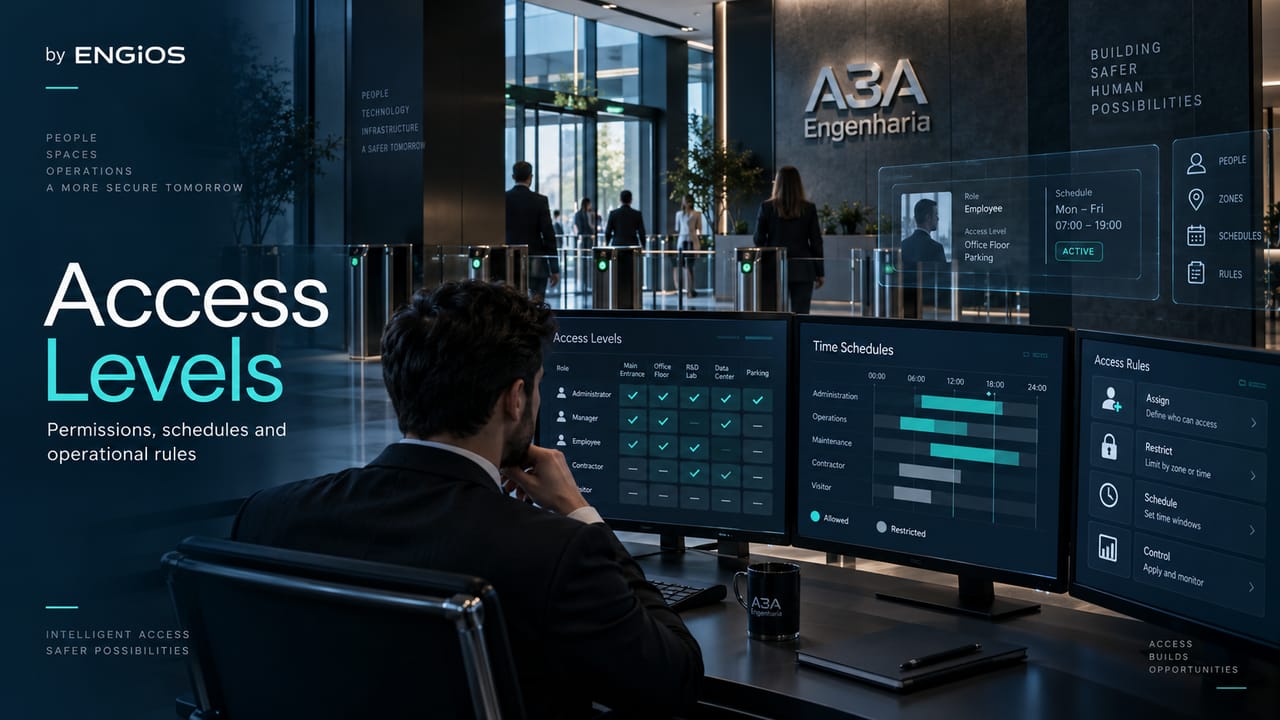
How to define access levels, access profiles, security zones, restricted areas and permissions in physical access control systems.
Check it out!
Access levels, access profiles, security zones and access permissions are complementary ways to transform the physical risk of a facility into objective authorization rules. In a well-designed system, the question is not simply whether a person “has access,” but to which areas, in which direction, under which conditions, with which credential, for what period and with which exceptions.
A coherent architecture begins with physical zoning and asset criticality. Public, controlled, restricted and critical areas should not receive the same treatment; each transition between zones creates a point at which identity, authentication and authorization must be evaluated. The access profile then groups permissions compatible with a role, relationship or operational need, avoiding individual door releases without a traceable logic.
This approach is especially important in industrial plants, corporate buildings, hospitals, Data Centers, substations, logistics centers and public facilities. The larger the number of people, doors, floors, third parties and exceptions, the greater the risk that a permission policy will grow in a disorderly way. The design must transform the security policy into a verifiable, documented and testable structure.
Access level, access profile, security zone and permission: what is the difference?
The terms often appear together, but they do not mean the same thing. Treating them as synonyms creates ambiguities that later reappear in software configuration, the functional matrix, acceptance testing and daily operations.
| Concept | Question it answers | Application example |
| Security zone | What level of protection is required for a physical area? | reception, administrative area, laboratory, electrical room, data hall |
| Restricted area | Which environment requires specific authorization for entry? | server room, sensitive archive, vault room, critical storeroom |
| Access level | How far may a given group progress through the physical hierarchy? | general, restricted, critical access |
| Access profile | Which set of permissions will be assigned to a person or role? | electrical maintenance, operations, cleaning, escorted visitor |
| Access permission | Which concrete action is authorized? | enter through door P-023, use the elevator to the 8th floor, access the parking garage |
The zone describes the space and its criticality. The profile describes the rule assigned to the identity. The permission materializes that rule in access points, directions, floors, schedules or functions. The access level is a way to organize progression between areas, but it should not become an abstract classification disconnected from actual risk.
In small facilities, these concepts may seem excessive. In environments with dozens or hundreds of doors, however, they are what prevents authorization from being managed as a manual list of exceptions.
The design should start with risk and assets, not the organization chart
Zones and profiles should not originate from software parameterization. Access Control Design must transform risks, flows and assets into traceable permissions, avoiding excessive access and exceptions without governance.
A recurring mistake is to create profiles directly from company departments: “Finance,” “IT,” “Engineering,” “Maintenance,” and so on. The organization chart helps explain roles, but it does not replace the physical analysis.
Two people in the same department may have different access needs. One maintenance engineer may need to enter electrical rooms and technical areas while another, in an administrative role, may not. Likewise, professionals from different departments may share the same operational need, such as access to a loading dock or operations center.
The engineering process should follow a different logic:
First, assets, critical processes, regulatory requirements and the consequences of unauthorized access are identified. Then the zones and their boundaries are defined. Only then does it make sense to decide which roles may cross each boundary and under which conditions.
This sequence avoids two opposite problems: excessive access, when a profile grants more access than necessary, and excessive fragmentation, when each person receives an almost unique collection of doors that becomes impossible to govern.
How to structure security zones and restricted areas
Security zones are physical groupings with similar protection requirements. They may coincide with floors, departments, buildings or perimeters, but they do not need to follow the civil architecture literally. A single building may contain several zones, and one zone may cover physically separate rooms if the protection policy is equivalent.
A practical taxonomy may use terms such as public, controlled, restricted and critical, provided the design makes clear that these names are a facility convention rather than a universal normative scale. What matters is the association among risk, requirements and controls.
A public area may allow circulation without credentials up to a defined point. A controlled area may require simple identification. A restricted area may require an individual credential and an authorization rule. A critical area may require multifactor authentication, anti-passback, dual custody, escorting, enhanced event supervision or other measures proportional to risk.
Zoning must also consider transitions. Many failures occur not inside the critical area, but at the boundary between areas with different requirements. At this boundary, the design defines the reader, barrier, controlled direction, door sensor, authentication, emergency behavior and expected event.
Avoid zones that exist only in software
A logical zone is useful only when it corresponds to a verifiable operational reality. If the software contains “Zone 4” but no one knows which doors define it, which assets it protects or which entry rule applies, the classification has lost its engineering purpose.
Each zone should have, at minimum, a definition, a justification, its boundary points and the list of authorized profiles. In critical environments, it is also advisable to record authorization owners and periodic review criteria.
Restricted areas are not all the same
The term restricted areas appears frequently in security policies, but it is broad. A telecommunications room, hospital pharmacy, records archive, laboratory and substation can all be “restricted” and still require different controls.
The design must translate the restriction into requirements: who authorizes, who may enter, whether unescorted access is allowed, which authentication factors are required, whether there is a time limit, whether events require associated video, whether anti-passback applies, or whether entry depends on another operational state.
How to create access profiles without losing governance
An access profile is a package of permissions that can be assigned to people with similar needs. This abstraction reduces errors because it allows rules to be administered at the level of role, relationship or activity instead of configuring doors individually for each user.
The model should follow the principle of physical least privilege: grant only the access required for the role and only for the necessary period. The objective is not restriction for its own sake, but to reduce the exposure surface and make every authorization justifiable.
Useful profiles are often derived from combinations such as:
- operational role;
- work location;
- criticality of the required areas;
- relationship — employee, contractor, visitor, supplier, auditor;
- need for access outside standard hours;
- need for unescorted access;
- authorization for vehicles, loading docks, elevators or technical areas;
- additional authentication requirements.
A generic “maintenance” profile may be too broad. In a complex facility, there may be electrical, HVAC, telecommunications, civil and security maintenance, each with different needs. Granularity should be sufficient to represent risk without creating hundreds of nearly identical profiles.
Base profile and controlled exceptions
A sound operational practice is to separate the base profile from exceptions. A person receives what the role normally requires; extraordinary permissions are temporary, justified and, whenever possible, have automatic expiration.
This reduces privilege accumulation: someone changes roles, receives new permissions and retains the old ones because they were never reviewed. In integrations with HR and IAM, job or organizational-unit changes should trigger profile reassessment, not simply add access.
Role-based profiles do not eliminate approval
Automating assignment based on job title or corporate group improves scale, but does not mean every mapping should be automatic. Critical areas may require a second approval, proof of training or authorization from the asset owner.
Engineering must define which permissions may be derived automatically from an identity source and which depend on a specific workflow.
Access permissions must be expressed in a verifiable way
A permission should not be described merely as “access to the building.” To be testable, it must specify where, in which direction, when and under which conditions.
At one door, the rule may define controlled entry and free egress. At another, both entry and exit may require a read to maintain occupancy state. At a turnstile, the profile may authorize a specific direction. In parking areas, authorization may depend on the relationship between vehicle and driver. In elevators, it may limit the available floors.
A permission structure may combine:
| Dimension | Examples |
| Identity | employee, contractor, visitor, emergency team |
| Location | building, zone, area, door, turnstile, floor |
| Direction | entry, exit, both |
| Time | days, shifts, windows, holidays, validity |
| Authentication | card, PIN, biometrics, two factors |
| State | valid anti-passback, current training, escort |
| Exception | scheduled maintenance, contingency, emergency |
This decomposition converts the security policy into rules that can be implemented and tested. It also simplifies investigation of a denied access event: the cause can be traced to area, schedule, factor, state or validity.
Access levels should not be a simple scale from 1 to 5
It is common to find facilities that classify users as “level 1,” “level 2,” “level 3,” and so on. This strategy seems simple, but it can create dangerous interpretations if a higher number automatically means “access to everything below.”
Physical reality is rarely perfectly hierarchical. Someone authorized to enter a highly critical laboratory does not necessarily need access to the treasury. An infrastructure technician may enter the data center and have no reason to access HR records.
Levels can therefore help communicate criticality, but permissions should be defined by need. The more robust model combines zone + role + condition, rather than using a universal privilege ladder.
Where a hierarchy exists, it must be explicitly documented. The software should not infer that a critical profile grants unrestricted access to every area of the facility unless this was an explicit design decision.
Zones, areas and anti-passback must share the same spatial model
Anti-passback and occupancy rules depend on knowing where the system considers a person to be located. If the zones used by the permission policy do not match the zones configured for occupancy, operational inconsistencies arise.
A transition door between Zone A and Zone B may record the state change. If an exit is not read, if there is an alternative route, or if an emergency door bypasses the normal flow, the system can lose occupancy-state consistency.
The design must decide which areas truly require state tracking and which are only administrative groupings. Not every security zone needs to be an anti-passback zone, and not every occupancy rule requires hard anti-passback.
This decision should appear in the functional matrix and test plan. A spatial diagram or floor plan showing zone boundaries is also far more useful than trying to reconstruct the logic solely from software configuration.
Schedules, calendars and validity are part of the permission
Physical permission is not necessarily permanent. A profile may be valid only on business days, during a shift, within a maintenance window or for the duration of a contract.
Time must therefore be treated as a dimension of authorization. The same person may be authorized to enter a given area during business hours and require additional approval outside them. A contractor may have permission only until the service order ends. A visitor may have a window of only a few hours.
The system must manage these rules without turning temporary exceptions into permanent rights. Automatic expiration is an important control because it reduces dependence on later manual removal.
Programming schedules, shifts, calendars and holidays deserves specific requirements, especially in 24×7 facilities, because date changes, shift transitions, local holidays and offline operation can alter the authorization result.
Visitors, contractors and service providers require their own profiles
Copying an employee profile to a contractor is a dangerous operational shortcut. External relationships have their own characteristics: sponsor, contract, validity, escort requirements, training, permitted areas and offboarding process.
Visitors also should not inherit an excessively broad “visitor profile” merely for convenience. The profile may depend on the host, meeting location, period and type of visit.
The permission policy should anticipate these groups during design. Otherwise, operations will create improvised profiles after implementation, outside the original traceability.
Integration with HR, Active Directory and IAM changes the scale of governance
In enterprise systems, identity may originate in HR, directories or IAM platforms. This allows part of the Joiner-Mover-Leaver life cycle — hiring, change and termination — to be automated.
The integration, however, must clearly define the source of truth. HR may be responsible for the employment relationship; IAM may organize digital roles; the physical system remains responsible for applying permissions to zones and access points.
The mapping between a corporate group and a physical-access profile must be versioned and auditable. A change in a directory group should not create access to a critical area unless that rule has been previously designed and approved.
Conflicts must also be addressed. If a person belongs to two groups, will the result be the union of permissions? Will there be an explicit deny rule? Can a temporary authorization expand the profile? Who reviews these combinations? These decisions are part of the architecture, not merely product configuration.
How to represent zones and profiles in the functional matrix
When the policy must relate profiles, zones, directions, schedules, APB, integrations and emergency behavior, the functional matrix is the link among requirement, configuration and testing. This documentation reduces ambiguity in procurement and acceptance.
The functional matrix converts conceptual logic into a design requirement. Each access point should relate origin, destination, direction, readers, sensors, events and integrations. To govern access levels and profiles, the matrix can be complemented by an authorization matrix.
A simplified example:
| Profile | Public zone | Controlled zone | Restricted zone | Critical zone |
| Visitor | allowed | escorted | no | no |
| Administrative | allowed | allowed | according to role | no |
| Technical maintenance | allowed | allowed | according to discipline | with authorization |
| Critical operations | allowed | allowed | allowed | according to role |
This table should not be interpreted as a universal model. It demonstrates the need to explicitly record the relationship between profiles and zones.
In a real design, granularity may increase to buildings, floors, doors, schedules, factors and exceptions. What matters is that the rule remains traceable from requirement to acceptance testing.
Emergency and life safety take precedence over normal policy
A physical-security authorization must not be applied in a way that compromises egress, evacuation, firefighting or other life-safety requirements.
The system must define how doors, turnstiles, interlocks and other controlled means behave in an emergency. The rule may involve release, local unlocking, interfaces with fire systems, emergency controls and specific operating modes.
These conditions are not “user profiles.” They are system states that may temporarily change the normal policy. They should therefore be addressed in the cause-and-effect matrix and verified during commissioning.
Likewise, emergency teams may have specific authorizations, but this does not replace the safe behavior required from the facility.
Periodic permission reviews prevent privilege accumulation
A well-designed architecture can lose quality over the years if no one reviews who still needs access to each area.
Periodic reviews should examine profiles, exceptions, inactive users, terminated contractors, unused credentials and critical access. In higher-risk environments, the area owner may periodically recertify the list of authorized people.
NIST SP 800-53 control PE-2 is a useful reference for the logic of maintaining the list of authorized individuals, reviewing authorizations and removing access that is no longer required. The same publication also addresses authorization by position or role, a concept directly related to physical-access profiles.
Review frequency should be proportional to risk. An administrative area and a critical-asset room do not necessarily require the same recertification cycle.
Logs and audit records should explain why access was granted or denied
Recording only “access denied” is insufficient for mature operations. Whenever the platform allows it, it is useful to distinguish causes such as invalid credential, profile without permission, access outside the time window, anti-passback, missing factor, expired validity or an access point out of service.
This level of evidence helps maintenance, security, audit and incident investigation. It also makes it possible to test whether the designed policy was implemented correctly.
Record retention should consider purpose, internal requirements, investigation needs and data protection. There is no single universal retention period suitable for every facility; the design and governance model should justify the period and control who can access this information.
How to specify access levels and profiles without tying the design to a manufacturer
The requirement should describe behavior, not proprietary screen names or features. Instead of requiring a specific menu, the specification may require the system to support user groups, access profiles, zones, calendars, exceptions, expiration and audit trails under defined criteria.
It should also require capacity compatible with the scale: number of profiles, users, areas, points, time-based rules and events. Licensing limits must be understood because an architecture that works technically may become impractical if every essential capability requires modules that were not anticipated.
For multi-site environments, the specification should define whether profiles are global, local or hybrid. A corporate role may have common permissions across several sites and specific exceptions at each location.
Performance-based specification preserves competition and keeps the focus on what engineering must demonstrate during acceptance.
FAT, SAT and commissioning must test the policy — not only the reader
Testing whether a reader recognizes a card does not prove that access control is correct. Commissioning must verify the permission logic.
Test cases should include, for example:
- authorized profile in the correct zone and schedule;
- the same profile attempting to access an unauthorized zone;
- valid credential outside the permitted schedule;
- user with temporary authorization before and after expiration;
- profile change after a role change;
- termination and revocation;
- offline controller operation;
- authorized exception and subsequent removal;
- emergency event;
- log records and correlation with the functional matrix.
The test must produce evidence. This keeps requirement, configuration and acceptance linked, and the access policy no longer depends on the interpretation of whoever operated the software at that moment.
Common errors when defining access levels and permissions
The first error is to create a “master” profile for operational convenience and distribute it widely. The second is to use the organizational chart as the sole reference. The third is to add exceptions without expiration. The fourth is to fail to review permissions after role changes.
Also common are zones without clear boundaries, profile names that do not explain the rule, duplication of nearly identical profiles, permissions granted directly to users without justification, and configurations that appear in no design documentation.
Another problem is confusing complexity with security. Creating dozens of levels and hundreds of profiles does not improve the system if no one can administer them. Quality lies in representing risk with the lowest complexity compatible with operations.
How to procure an access control design with a traceable permission policy
Procurement should require engineering to convert surveys, risks, flows, areas and roles into verifiable deliverables. Point layouts, diagrams, design criteria, the functional matrix, authorization matrix, software requirements, interfaces and the test plan should tell the same story.
Before implementation, the owner should be able to answer: which zones exist, which areas are restricted, which profiles were defined, who approves each profile, which permissions each one receives, how exceptions work, and how everything will be tested.
When these answers emerge only during integrator configuration, the design has transferred engineering decisions to the wrong phase. This increases rework, manufacturer dependence and difficulty in technical oversight.
Final considerations
Access levels, access profiles, security zones, access permissions and restricted areas are parts of the same physical-authorization model. The central point is to convert risk and operational need into clear, minimal, auditable and testable rules.
The most robust architecture is not the one with the greatest number of levels, but the one that can explain why each person may enter each area, for how long and under which conditions. When this logic originates in the design and reaches the matrix, configuration and commissioning, the system stops being a collection of doors and begins to operate as an engineering discipline.
Acceptance must prove the complete authorization logic. Engineering defines positive, negative and contingency cases to confirm that implemented access levels, profiles and permissions correspond to the design.
Technical references
[1] INTERNATIONAL ELECTROTECHNICAL COMMISSION. IEC 60839-11-1:2013 — Alarm and electronic security systems — Part 11-1: Electronic access control systems — System and components requirements. 2013. Available at: https://webstore.iec.ch/en/publication/3662.
[2] INTERNATIONAL ELECTROTECHNICAL COMMISSION. IEC 60839-11-2:2014 — Alarm and electronic security systems — Part 11-2: Electronic access control systems — Application guidelines. 2014. Available at: https://webstore.iec.ch/en/publication/3663.
[3] NATIONAL INSTITUTE OF STANDARDS AND TECHNOLOGY. NIST SP 800-53 Rev. 5 — Security and Privacy Controls for Information Systems and Organizations. 2020. Available at: https://csrc.nist.gov/pubs/sp/800/53/r5/final.
[4] NATIONAL INSTITUTE OF STANDARDS AND TECHNOLOGY. Electronic Physical Access Control Systems — Security Control Overlay of SP 800-53 Revision 5. 2021. Available at: https://csrc.nist.gov/CSRC/media/Projects/risk-management/documents/overlayRepo/Electronic%20Physical%20Access%20Control%20Systems/ePACS%20Overlay_v1_SP800-53rev5-April2021.pdf.
Frequently asked questions
An access level is a way to organize criticality or progression among areas; an access profile is the concrete set of permissions assigned to a role, relationship or need. In mature designs, the profile should be derived from actual zones and needs, not merely from a numerical scale.
They are groupings of physical areas with similar protection requirements. The design defines their boundaries, protected assets, transition points and which profiles may access them. Terms such as public, controlled, restricted and critical may be used as a convention, provided they are clearly defined.
A permission should specify who may access which point or area, in which direction, during which period, with which authentication factors and under which conditions. The more verifiable the rule, the easier it is to implement, audit and test.
It is an area whose entry depends on specific authorization. The restriction should be translated into authentication, profile, validity, supervision, escort and record requirements compatible with the area’s risk.
Not as a general rule. Department can be an attribute, but people in the same organizational area may require different physical access. The profile should represent role, location, risk, relationship and operational need.
Yes, provided the mapping between corporate identity and physical permission is designed, approved and auditable. Critical areas may require additional approvals even when identity and job data are received automatically.
SAT should include authorized and denied cases, schedules, expiration, profile changes, revocation, offline operation, exceptions and emergency behavior. The objective is to prove the complete policy, not merely reader operation.
These decisions should be part of the Access Control System Design because they depend on risks, flows, architecture, integration, documentation and acceptance criteria. Software configuration should implement previously defined requirements rather than replace the design.
Complementary technical materials
Related services
- Access Control System Design
- Integrated Electronic Security Design: CCTV, access control, intrusion and integration
- Engineering Commissioning: planning, testing, readiness and handover
Key content on this topic
- Access Control Systems: types, technologies, standards and design
- Access control functional matrix: how to specify each point