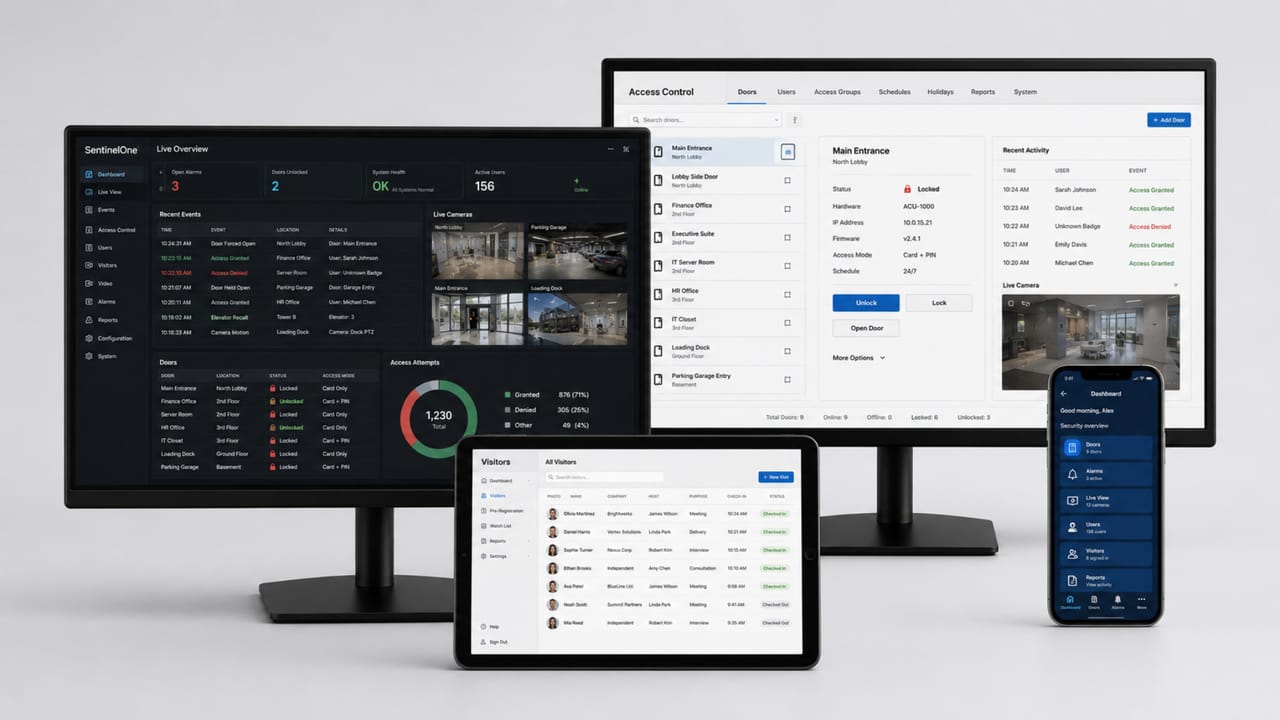
Understand when a company needs to evolve to an enterprise access control architecture with multiple sites, governance, integrations, auditability, high availability, and corporate operations.
Check it out!
Many companies begin their access control journey with a simple need: protect an entrance, control a door, organize a reception area, release a turnstile, or restrict access to a specific room. In these initial scenarios, a local solution with few readers and simplified administration may be sufficient.
The problem emerges as the operation grows.
Over time, the company acquires more facilities, more users, more visitors, more contractors, more critical areas, more access rules, more integrations, and greater audit requirements. What was once a door-control system becomes essential infrastructure for physical security, facilities, IT, compliance, operations, and risk management.
At that point, access control stops being merely a set of devices and begins to require a corporate architecture. This is where the concept of enterprise access control comes in.
An enterprise solution is needed when the environment must operate at scale with governance, traceability, integration, high availability, and the ability to evolve. Instead of managing access independently at each facility, the organization treats access control as a corporate platform capable of coordinating physical identities, credentials, permissions, sites, events, visitors, alarms, video, reports, and integrations.
This article explains when a company should consider an enterprise access control solution, which signs indicate that need, which capabilities define a corporate platform, and why solutions such as Lenel OnGuard fit this context.
What is enterprise access control?
Enterprise access control is a corporate architecture for managing physical access in complex, distributed, and critical environments. It goes beyond releasing doors, turnstiles, or gates. Its objective is to coordinate, at scale, who may access which locations, when they may access them, under what conditions, and with what level of auditability.
In an enterprise solution, the system must handle multiple elements simultaneously: employees, visitors, contractors, service providers, physical and mobile credentials, readers, doors, turnstiles, gates, controllers, servers, databases, permissions, schedules, holidays, critical areas, remote sites, alarms, video, reports, dashboards, and integrations with corporate systems.
The main difference lies in how the system is conceived. In simple access control, attention is usually focused on the device and local release. In an enterprise architecture, the focus is governance, integration, availability, and the ability to operate consistently across the entire organization.
For this reason, enterprise access control should be understood as a corporate physical security platform. It connects people, areas, rules, events, and systems to support company operations with security and traceability.
Simple access control vs. enterprise access control
Not every project needs to begin with an enterprise solution. Simple systems have their place and can serve smaller environments well when there are few doors, limited integration, and local operations. The critical point is recognizing when organizational complexity exceeds the capabilities of a conventional solution.
| Criterion | Simple system | Enterprise system |
|---|---|---|
| Scale | Few doors or readers | Hundreds or thousands of readers |
| Sites | One facility or few environments | Multiple facilities, regions, or countries |
| Users | Small, stable user base | Employees, contractors, visitors, service providers, and temporary users |
| Administration | Local and concentrated | Centralized, segmented, and delegable |
| Permissions | Simple rules | Access levels, groups, schedules, exceptions, and segmentation |
| Integrations | Limited or none | HR, IAM, Active Directory, VMS, SOC, elevators, parking, and analytics |
| Availability | Basic | High availability, redundancy, and contingency |
| Audit | Limited | Logs, reports, dashboards, and exportable evidence |
| Operations | Few operators | Profiles, roles, regions, sites, and security operations centers |
| Evolution | Limited growth | Planned expansion and continuous lifecycle management |
Risk arises when a company keeps expanding a simple system to serve an enterprise reality. The result is often a fragmented architecture that is difficult to audit, with inconsistent permissions, weak integration, and greater dependence on manual processes.
Signs your company needs an enterprise solution
The need for enterprise access control usually does not arise from a single requirement. It emerges from the combination of scale, criticality, integration, and governance. The following are the main maturity indicators showing that an organization needs to evolve.
The company operates across multiple sites
One of the clearest signs is the presence of multiple facilities. Headquarters, branches, industrial plants, hospitals, data centers, campuses, logistics centers, regional offices, or remote units significantly increase access control complexity.
In a multi-site operation, the organization must decide which policies are global, which rules are local, who administers each facility, which users may access more than one site, how events will be consolidated, how reports will be generated, how local operations will continue during communication failures, and how new facilities will be incorporated into the system.
If each facility operates with an isolated database, the company loses corporate visibility. If everything is centralized without considering local operations, the organization may become excessively dependent on headquarters. An enterprise solution makes it possible to balance central governance with operational autonomy.
The user base has become complex
Another important sign is the complexity of the user base. In simple environments, the company manages a small number of employees with relatively stable permissions. In corporate environments, the reality is different.
The user base may include permanent employees, contractors, service providers, visitors, suppliers, temporary teams, shift teams, maintenance teams, security operators, regional administrators, users with access to multiple facilities, and users with temporary permissions.
Each group may have different rules for validity, approval, schedules, areas, credentials, reviews, and audits. When management of these profiles begins to depend on spreadsheets, emails, manual registrations, or informal decisions, operational risk increases.
An enterprise solution makes it possible to structure governance over these physical identities by connecting permissions, credentials, validity, groups, and evidence.
There are critical areas or regulated environments
The criticality of areas also influences the need for an enterprise architecture. Some areas cannot be treated as ordinary doors. They require tighter control, logging, review, and response capability.
Examples include data centers, computer rooms, technical rooms, vault rooms, industrial areas, substations, hospital pharmacies, command centers, production areas, sensitive storage areas, logistics docks, and critical infrastructure environments.
In these spaces, access control must produce evidence, record events, support investigations, restrict permissions by role, enable alarm response, and integrate with video or operational systems.
When a company has critical areas, the question is no longer simply “who enters?” It becomes “how do we ensure that only authorized people enter, at the correct time, with reliable records and a response mechanism for exceptions?”
Manual permission management has become a risk
A common symptom of insufficient maturity is excessive dependence on manual processes. This appears when permissions are granted by email, spreadsheets, informal requests, or direct registration without a clear approval trail.
The most common risks include terminated users who remain active, contractors with expired access, accumulated permissions after role changes, recurring visitors without adequate control, lost credentials that remain valid, temporary access that never expires, administrators with excessive privileges, lack of periodic review, and missing approval evidence.
In an enterprise solution, access management should be driven by processes, profiles, rules, validity periods, reports, and audits. The system must support governance, not merely store records.
The system must integrate with other systems
Another clear sign is the need for integration. When access control starts depending on HR data, corporate directories, IAM, VMS, SOC, elevators, parking, visitor systems, or analytics platforms, a simple solution tends to become limiting.
Common integrations in enterprise environments include HR, Active Directory, IAM, visitor systems, VMS and CCTV, SOC, elevators, parking, BMS, reservation systems, data warehouses, analytics platforms, and ticketing systems.
Integration reduces rework, improves data quality, prevents improper permissions, accelerates investigations, and allows physical events to be used as operational information.
The operation requires auditability and evidence
In corporate environments, auditing cannot depend on memory, spreadsheets, or incomplete records. The system must accurately answer who accessed, when access occurred, where it occurred, which credential was used, which event occurred, and which permissions were in effect.
An enterprise solution should provide event logs, access history, cardholder reports, system-user reports, permission audits, dashboards, data exports, change trails, visitor evidence, exception records, and investigation support.
When the company must provide accountability to internal audits, customers, regulators, insurers, or compliance teams, access control must generate reliable evidence.
Availability has become critical
In a simple system, a failure may cause inconvenience. In a critical operation, a failure may interrupt processes, compromise security, affect shifts, block essential access, or create operational risk.
Signs that availability has become critical include 24/7 operations, multiple shifts, industrial areas, hospital environments, data centers, security operations centers, high volumes of people, dependence on reception areas and turnstiles, emergency-response requirements, SOC integration, and continuity requirements.
In this context, the design must consider redundancy, backup, local controller operation, high availability, failure recovery, health monitoring, and the update lifecycle.
What capabilities define an enterprise platform?
An enterprise access control platform is not defined only by brand size or the maximum number of readers. It is defined by the set of architectural capabilities that make it possible to operate physical security at corporate scale.
Multi-site architecture
The platform must support multiple facilities, regions, or administrative domains. This allows the company to grow without creating isolated technology islands at each site.
Centralized administration with local operations
The organization should be able to define corporate policies while also allowing selected facilities to operate locally within controlled scopes. This balance is essential in distributed companies.
Segmentation
Segmentation makes it possible to limit visibility, permissions, and administration by facility, region, group, or area. Without segmentation, large environments tend to become difficult to operate and audit.
Enterprise controllers
The field layer must be robust. Enterprise controllers should support local operation, secure communications, remote updates, events, inputs, outputs, readers, and reliable integration with the central platform.
Robust database
The database must support large volumes of users, events, credentials, logs, and reports. It must also be considered in backup, retention, performance, and recovery strategies.
High availability
Enterprise systems must be designed for failure. This involves redundancy for servers, critical services, databases, and links, as well as backups, disaster recovery, and contingency procedures.
APIs and integrations
An enterprise platform must integrate with the corporate ecosystem. APIs, connectors, and integrations reduce manual work and enable automation with HR, IAM, VMS, SOC, and analytics systems.
Visitor and contractor management
Visitors and contractors have a different lifecycle from employees. The platform must address preregistration, check-in, check-out, hosts, validity periods, temporary credentials, evidence, and policies.
Reports and dashboards
Reports and dashboards are essential for auditing, investigation, governance, access reviews, and operational management.
Permission governance
An enterprise solution should support access rules, profiles, groups, access levels, timezones, holidays, temporary permissions, periodic reviews, and decision trails.
Support and lifecycle
Critical environments require support, updates, patches, documentation, hardening, training, monitoring, test environments, and upgrade planning.
The role of site federation in enterprise access control
Site federation is a central concept in enterprise access control. It allows the organization to manage multiple facilities as part of a corporate architecture rather than treating each site as an independent system.
In a federated architecture, global policies, local rules, central administration, regional operations, data segmentation, regional servers, event consolidation, controlled autonomy, facility-by-facility expansion, and corporate reporting can be combined.
This model is especially useful for organizations with headquarters and branches, industrial plants, remote units, and national or multinational operations.
Federation avoids two common problems. The first is fragmentation, when each facility has its own system, its own database, and its own rules. The second is excessive centralization, when headquarters tries to control everything without considering local needs, latency, link availability, and regional operations.
A well-designed enterprise architecture allows the company to maintain corporate governance without losing operational flexibility.
Why do solutions such as Lenel OnGuard fit this scenario?
Solutions such as Lenel OnGuard fit the enterprise scenario because they were developed for environments in which access control must operate as a corporate platform.
Instead of treating the system merely as a database of doors and users, OnGuard organizes physical security within an architecture that can include multiple sites, scalable editions, regional environments, browser clients, credential management, visitors, reports, dashboards, video integration, the OpenAccess API, cloud, and continuous support.
This type of platform makes sense when the organization needs to address challenges such as site expansion, distributed operations, centralized governance, integration with corporate systems, access auditing, visitor and contractor management, high availability, cybersecurity, video integration, and migration toward cloud or hybrid architectures.
Lenel OnGuard should not be considered solely by the number of readers it supports. Its value lies in its ability to sustain a corporate access control architecture with governance, integration, and continuity.
For this reason, in enterprise projects the choice of platform should be connected to the architecture design, growth roadmap, and operational requirements of the organization.
Common mistakes when postponing migration to enterprise access control
Many companies postpone moving to an enterprise solution because the current system “still works.” The problem is that working does not mean being prepared to grow, audit, integrate, or operate securely.
Expanding a local system beyond its limits
Adding doors, users, and facilities to an architecture that was not designed for scale creates operational complexity and increases failure risk.
Creating separate databases for each facility
Independent systems for each site make auditing, integration, standardization, and corporate governance more difficult.
Failing to integrate with HR or IAM
Without integration with authoritative sources, the user database tends to become outdated, with terminated users remaining active, expired contractors, and inconsistent permissions.
Failing to review permissions
Without periodic reviews, users may accumulate unnecessary access over time.
Ignoring visitors and contractors
Visitors and service providers often represent significant risks because they have temporary access, external affiliations, and specific control requirements.
Failing to involve IT in the design
Modern access control depends on networks, servers, databases, certificates, authentication, security, and integration. Without IT, the architecture is incomplete from the outset.
Failing to plan for high availability
When the system becomes critical, the absence of redundancy, backup, and contingency becomes an operational risk.
Choosing a solution only by price or number of doors
The lowest initial cost may become expensive when the solution does not support growth, integration, auditing, or governance.
How to assess whether your company is ready for an enterprise architecture
The decision to adopt an enterprise solution should be based on an assessment. Before choosing a product or supplier, the company should evaluate its current and future operations.
An initial checklist may include:
- How many sites exist today?
- How many sites should exist over the next 3 to 5 years?
- How many readers are currently installed?
- How many readers will be required for the planned growth?
- How many cardholders are there?
- Are there recurring visitors?
- Are there contractors and service providers with temporary access?
- Are there critical areas?
- Is there 24/7 operation?
- Does the current system provide reliable reports?
- Is there integration with HR, IAM, or Active Directory?
- Is there integration with VMS or SOC?
- Is integration with elevators or parking required?
- Are there internal or external audits?
- Are access rights reviewed periodically?
- Are terminated or inactive users still present in the database?
- Is there a backup and contingency plan?
- Has IT defined cybersecurity requirements?
- Does the current system support expansion?
- Does the operation depend on manual processes?
- Is there a need for cloud, on-premises, or hybrid architecture?
If many of these answers point to increasing complexity, the company probably already needs to evaluate an enterprise architecture.
How to plan the migration to enterprise access control
Migration to an enterprise platform should be treated as an architecture project, not merely as a system replacement.
Assessment of the current environment
Map readers, controllers, doors, servers, databases, users, credentials, integrations, operational workflows, reports, and risks.
Requirements gathering
Understand sites, critical areas, users, visitors, contractors, access policies, integrations, audit requirements, and availability needs.
Target architecture definition
Define whether the model will be on-premises, cloud, or hybrid; centralized or federated; and whether operation will be local, regional, or corporate.
Migration strategy
Plan phases, priorities, hardware replacement, integration with existing systems, database migration, testing, and temporary coexistence.
Technical validation
Perform functional tests, rule validation, video integration tests, communications tests, contingency tests, backup verification, report validation, and operational testing.
Training and governance
Train operators, administrators, reception staff, area managers, and IT teams. Define processes for creating, changing, reviewing, and removing access rights.
Support and evolution
Plan support, updates, patches, monitoring, periodic reviews, and an expansion roadmap.
How A3A Engenharia supports this decision
Choosing an enterprise access control architecture requires technical perspective and operational understanding. A3A Engenharia supports organizations in the assessment, specification, implementation, and lifecycle support of corporate access control solutions.
Our work may include assessment of the existing architecture; inventory of readers, controllers, and access points; survey of sites and critical areas; analysis of operational risks; evaluation of integrations with HR, IAM, VMS, SOC, elevators, and parking; definition of on-premises, cloud, or hybrid architecture; assessment of site federation; sizing of servers, readers, users, and integrations; technical specifications; support in platform selection; Lenel OnGuard architecture; migration planning; commissioning; integrated testing; documentation; support; and lifecycle management.
This approach allows the company to choose a solution compatible with current operations while remaining prepared for growth, integration, auditing, and continuity.
Conclusion
Enterprise access control is not required for every project. A simple solution may be sufficient for small environments with few doors, low criticality, and little need for integration.
But when the operation grows in scale, multiple sites, user complexity, critical areas, visitors, contractors, integrations, audit requirements, and availability requirements, insisting on a simple architecture can create operational risk, governance failures, and security limitations.
An enterprise solution makes it possible to treat access control as corporate infrastructure. It connects identities, credentials, permissions, devices, sites, events, reports, video, integrations, and governance processes within a single architecture.
Platforms such as Lenel OnGuard make sense in this context because they were designed for environments in which access control must grow, integrate, audit, operate, and sustain physical security at corporate scale.
The main question should not simply be “how many doors do I need to control?” The right question is: what access control architecture does the company need to sustain its operations, security, governance, and growth?
Do you need to assess whether your company already requires an enterprise access control architecture?
A3A Engenharia supports organizations in the assessment, specification, implementation, and lifecycle support of corporate access control solutions, including architectures based on Lenel OnGuard.